Create a quick and simple game from the start to the end
Put the focus on the ambiance and the atmosphere
Realized this project by respecting a deadline : the game had to be available on itch.io at the end of January 2026
Synopsis
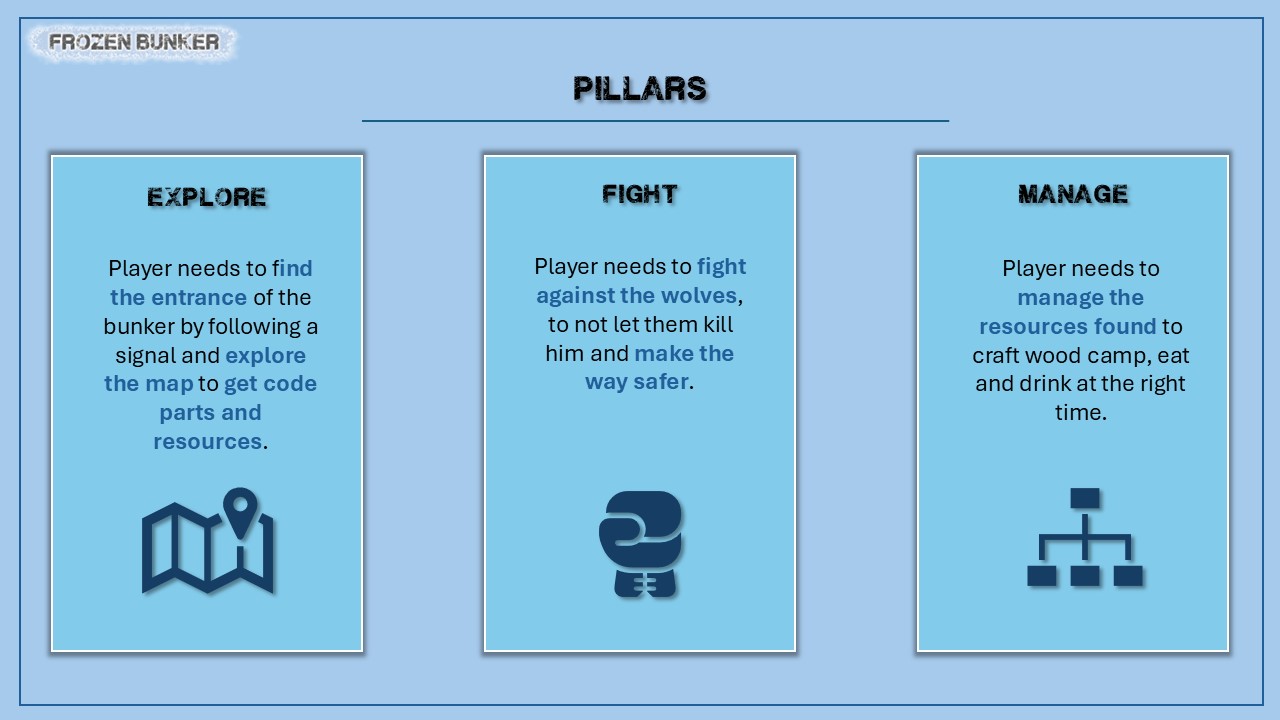
Player embodies a survivor of a big snowstorm who needs to find a way to escape by searching a bunker and opening the entrance. He will have to survive in a hostile environment, face the cold, and fight against wild animals.
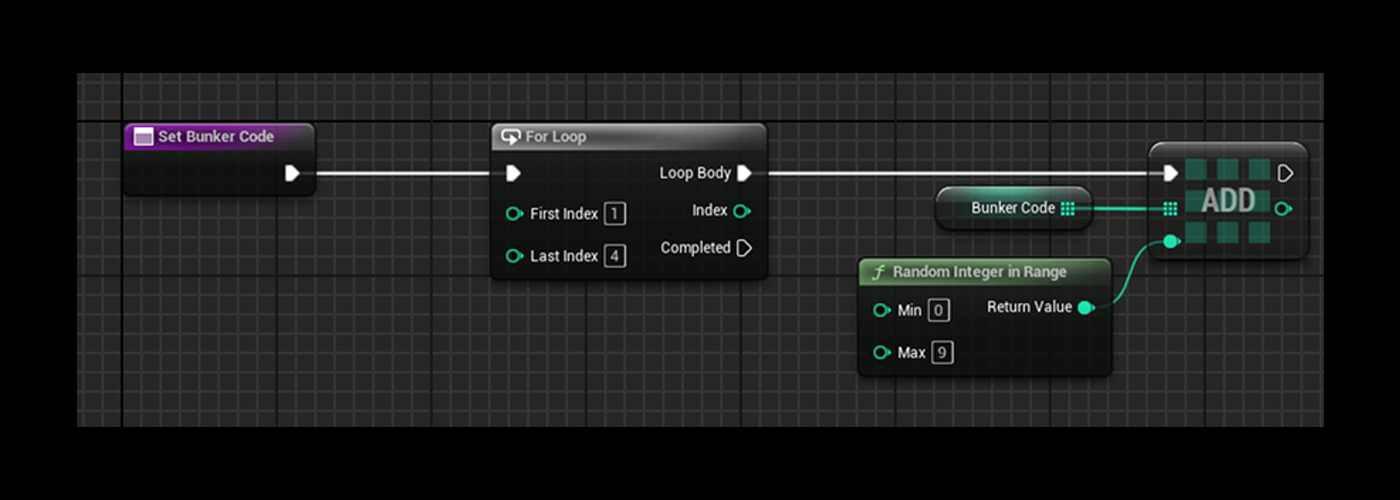
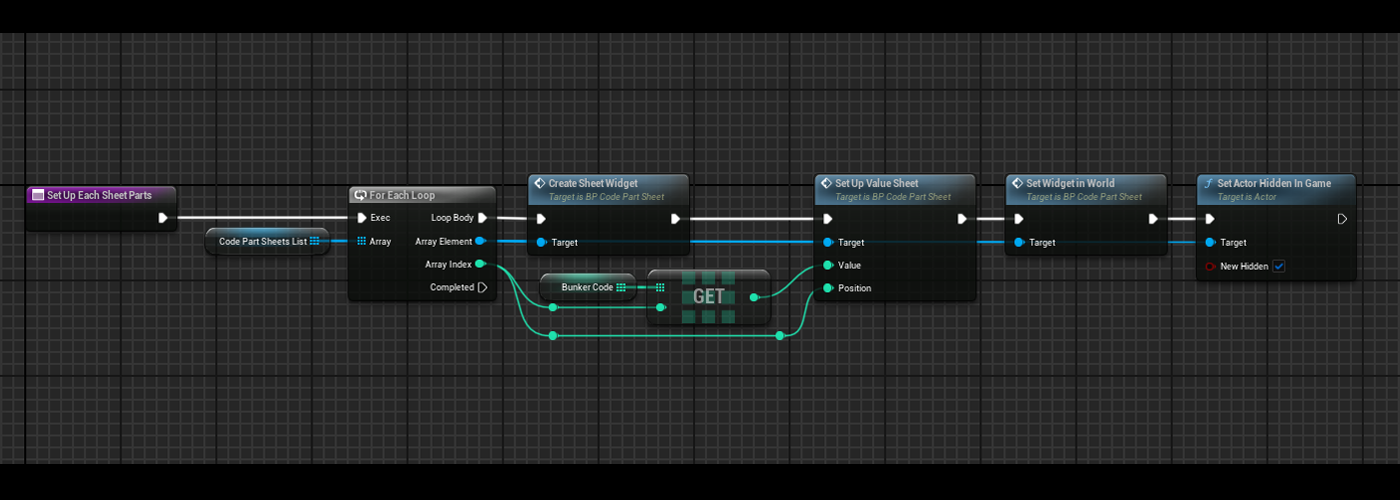
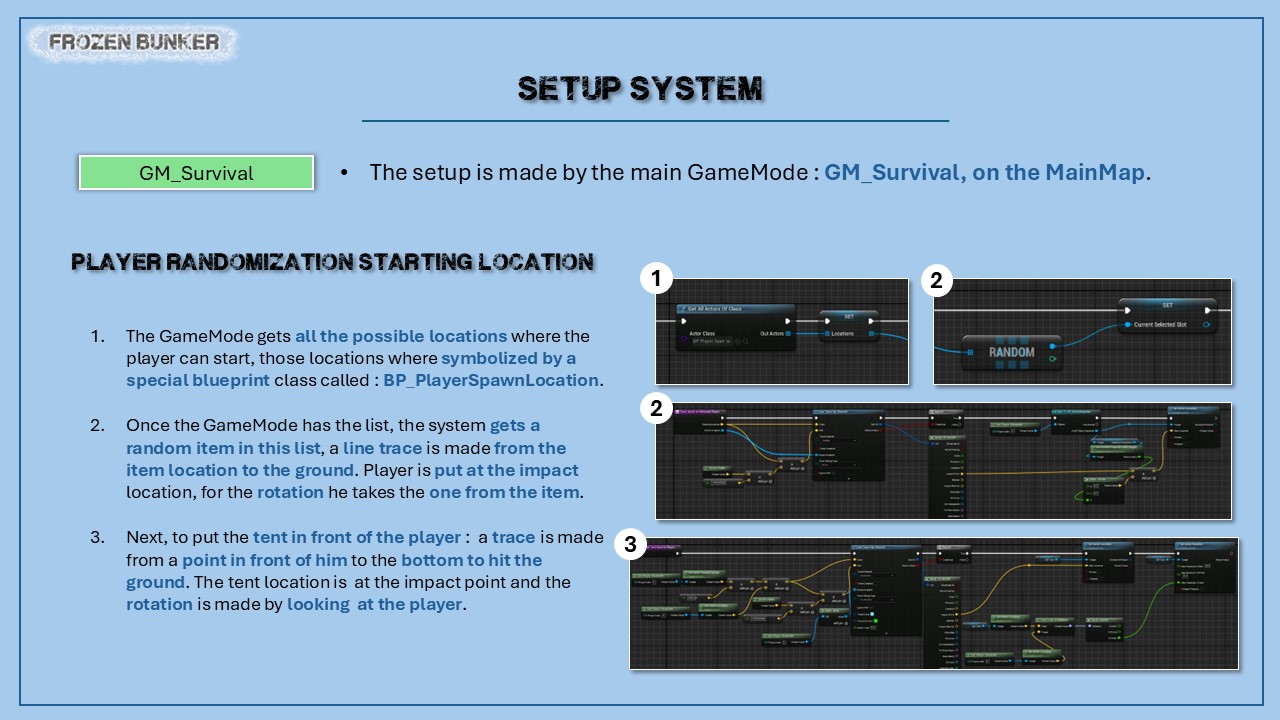
Bunker Code is decided at the beginning of the game by the GameMode, an 4-slot array of intgers is made with for each slot a random integer between 0 and 9.
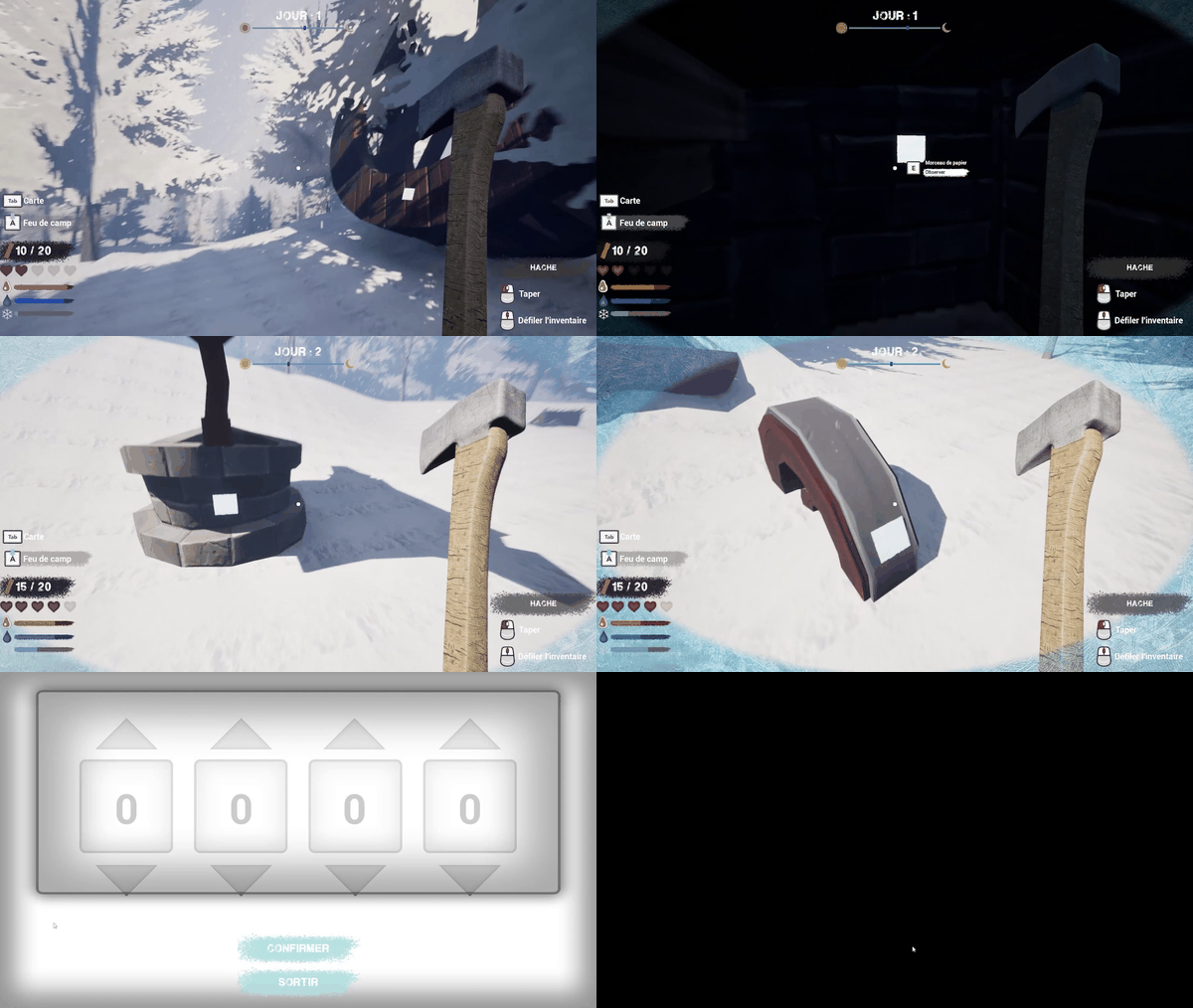
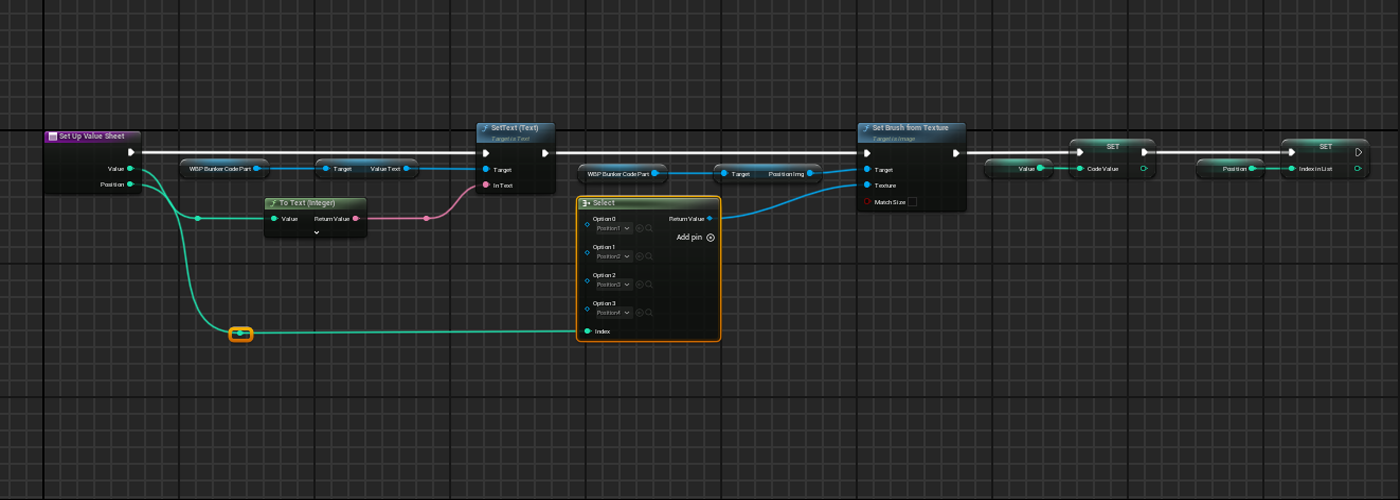
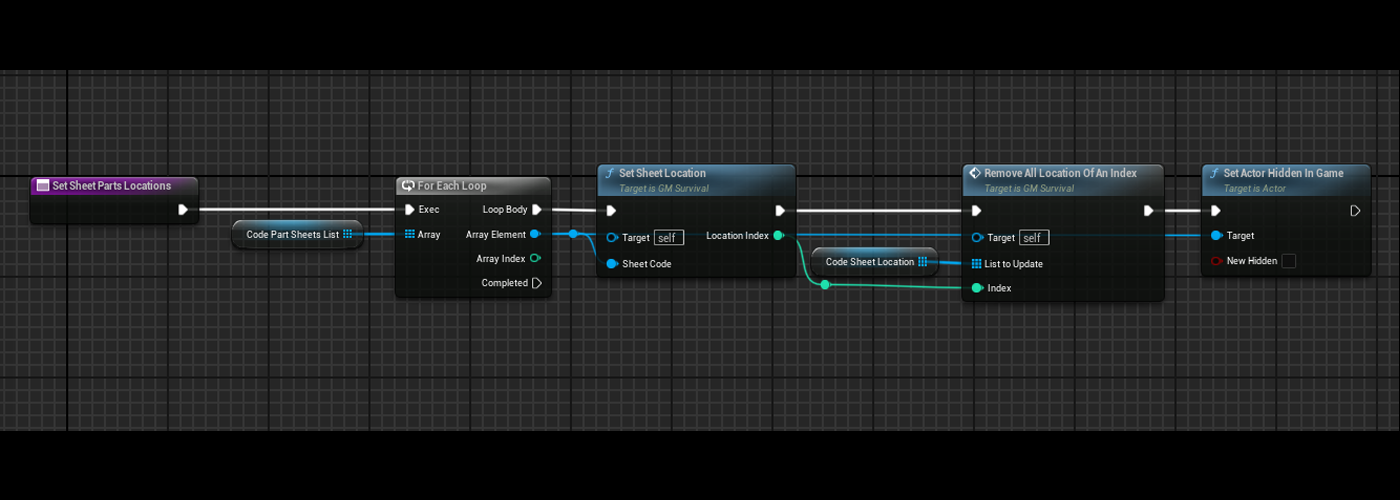
Once made each code part is linked to a blueprint class BP_CodeSheetPart. At the beginning of the game this blueprint is not visible and not interactive.
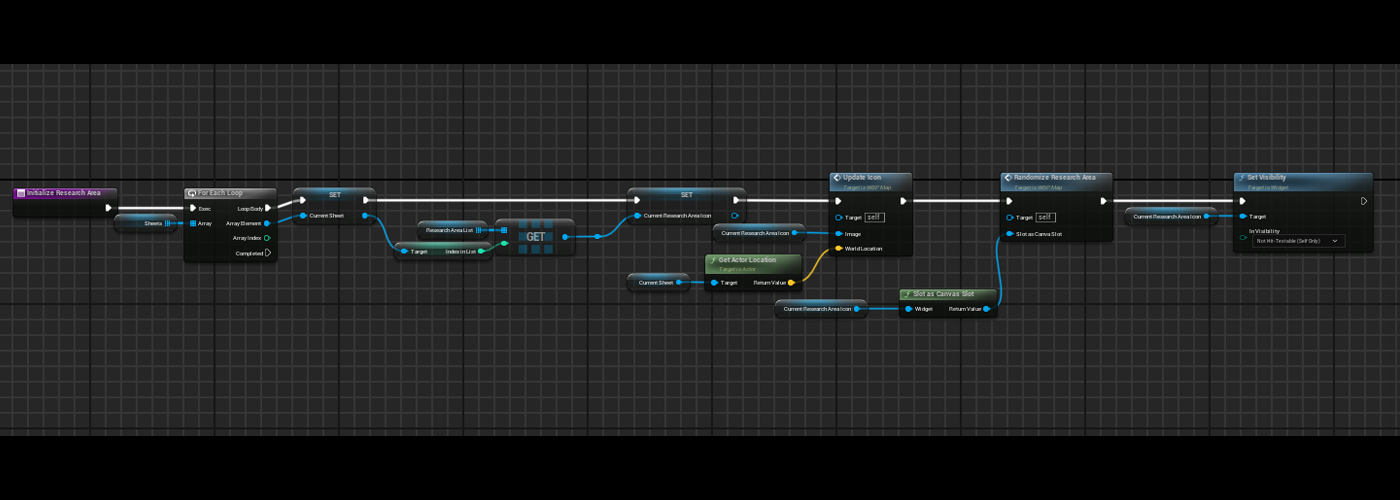
Once the player finds the bunker entrance and interacts with the message actor on it, each blueprint actor that contains a code part is relocated on location from a slot contained in a list : those slots are selected randomly.
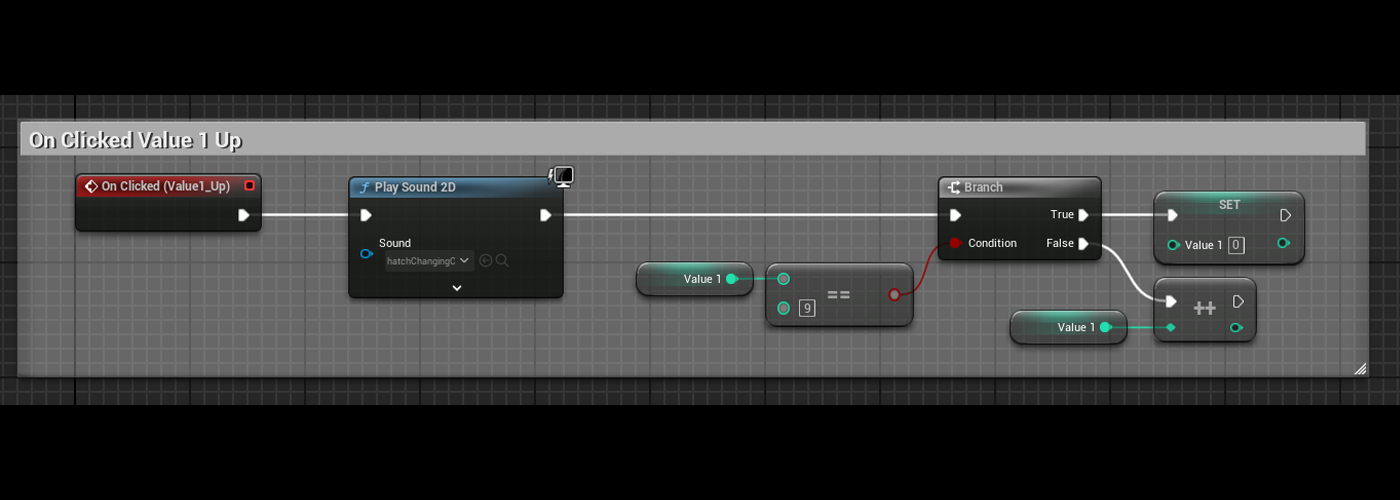
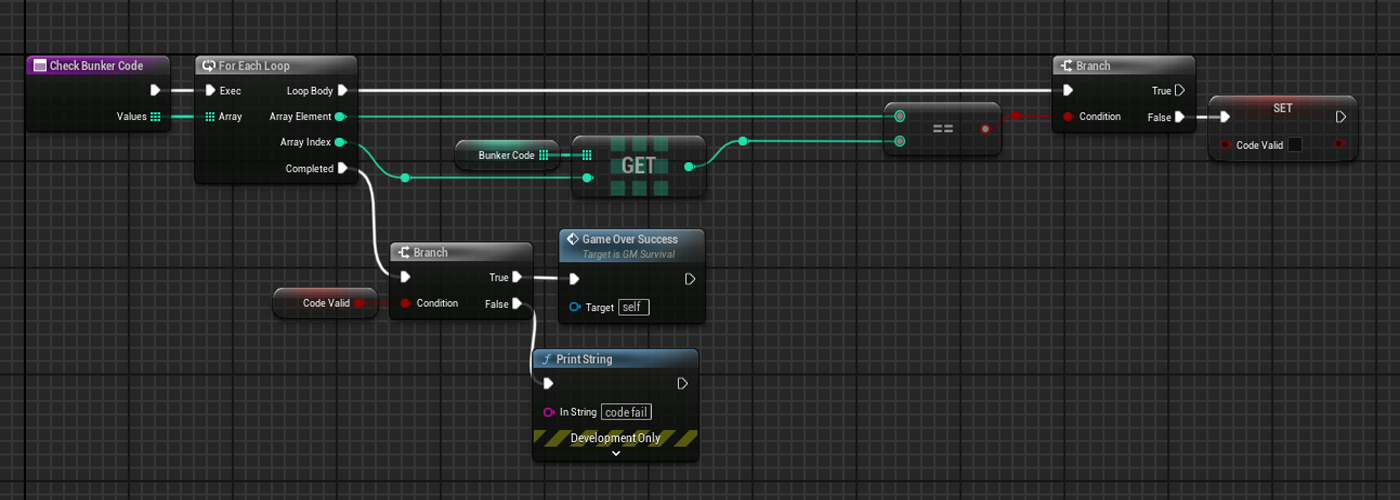
When player interacts with the bunker entrance a widget is added to viewportand the player can modify each number, then each number is compared to each slot in the code array. If every number matches the bunker is open.
Précédent
Suivant
Inventory
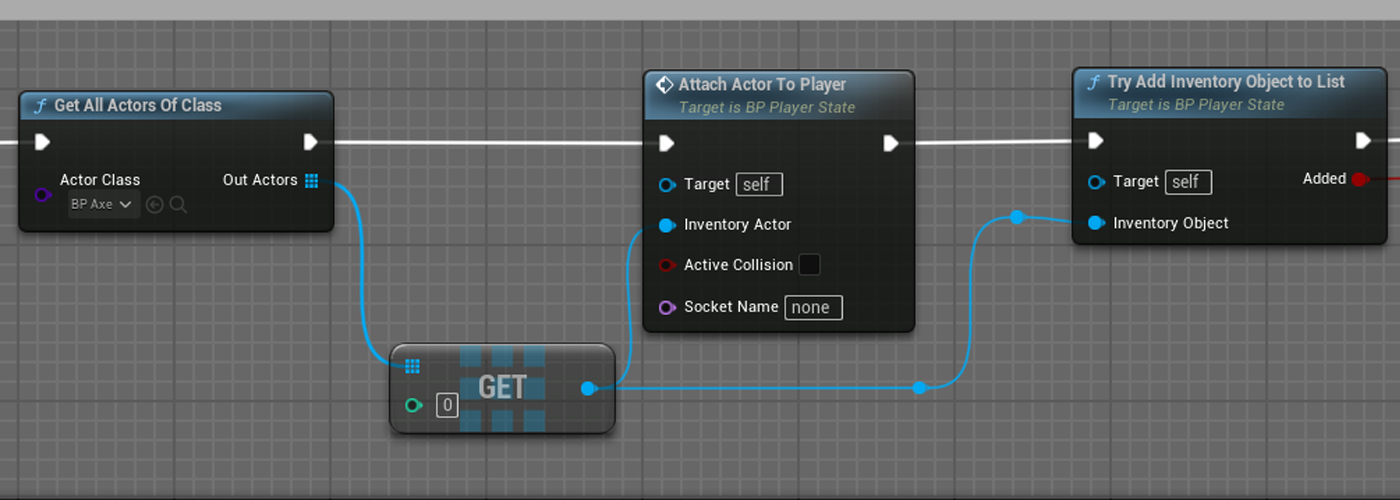
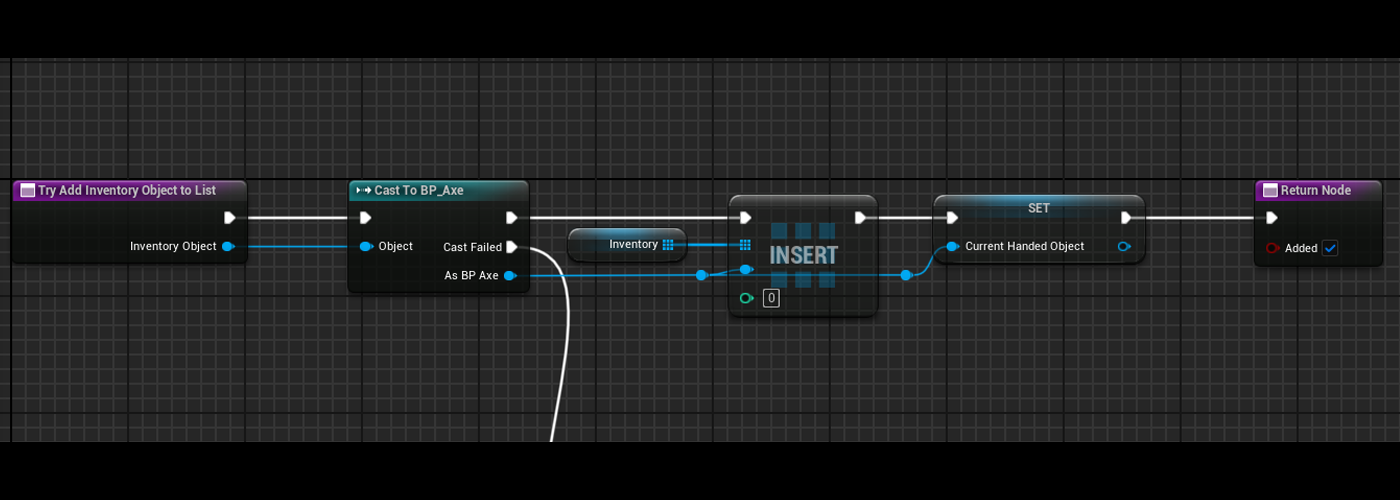
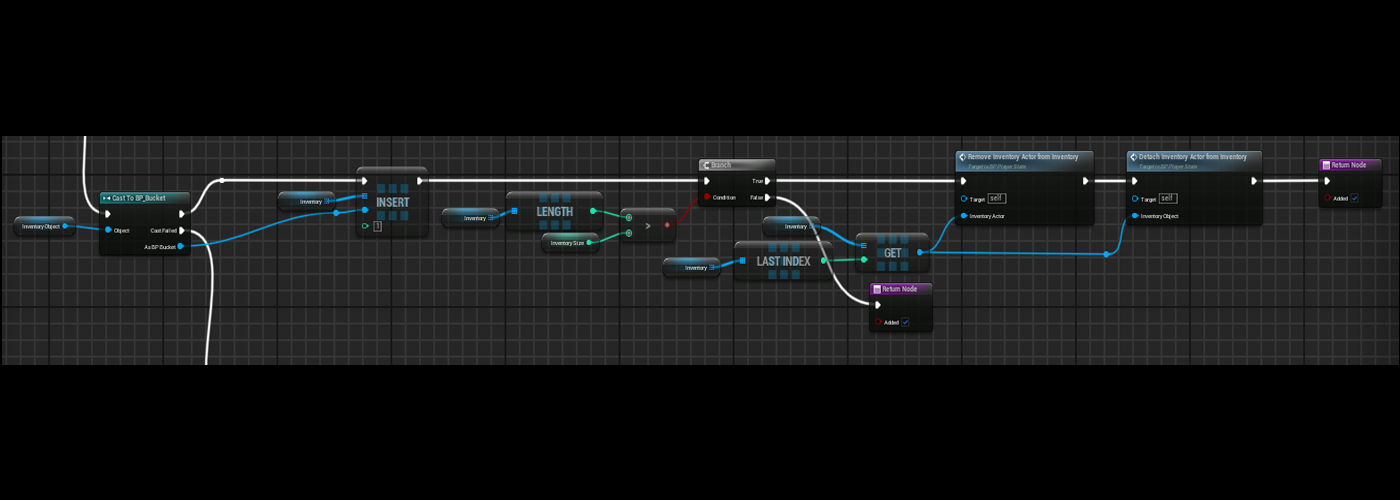
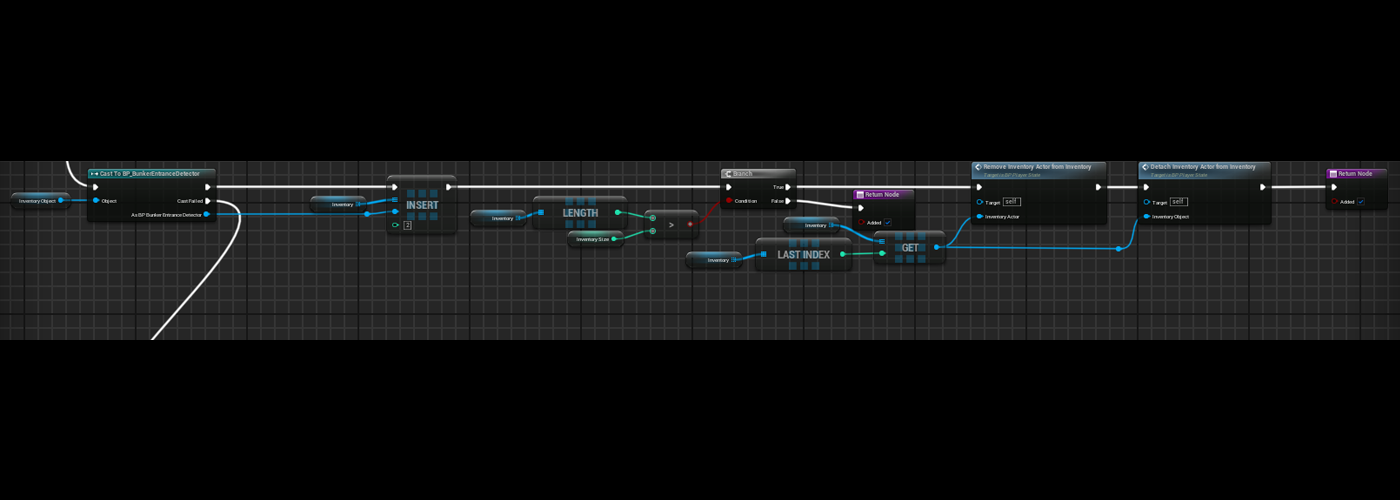
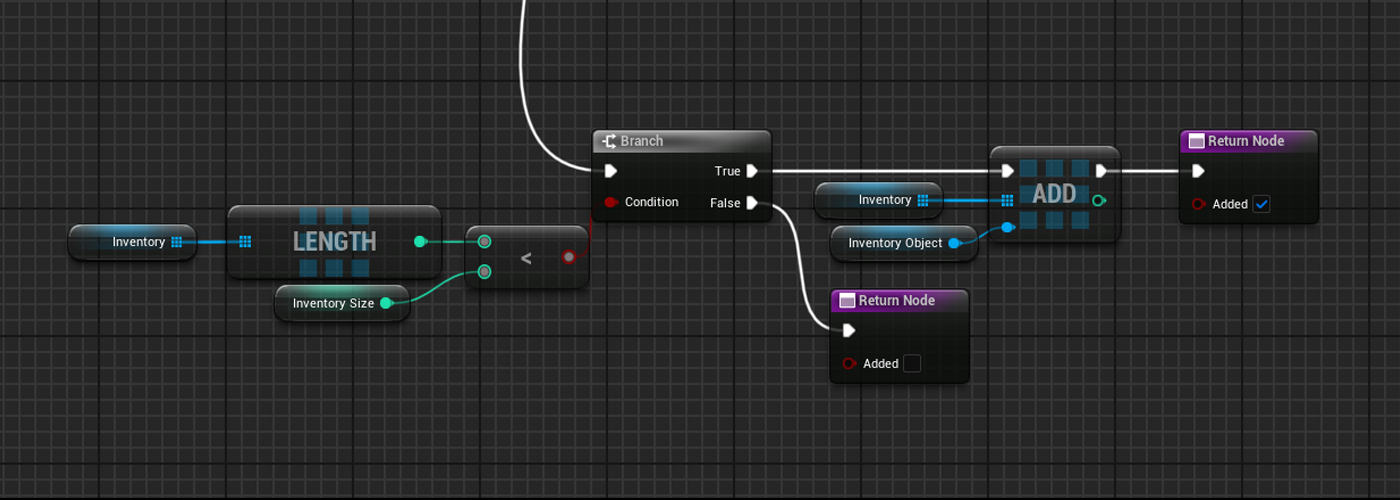
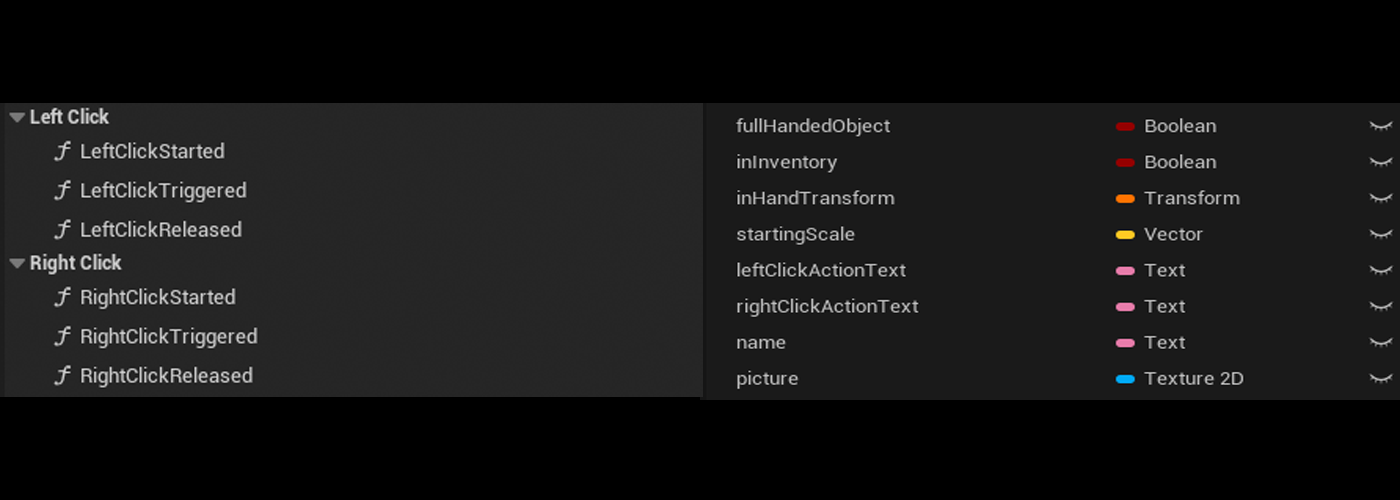
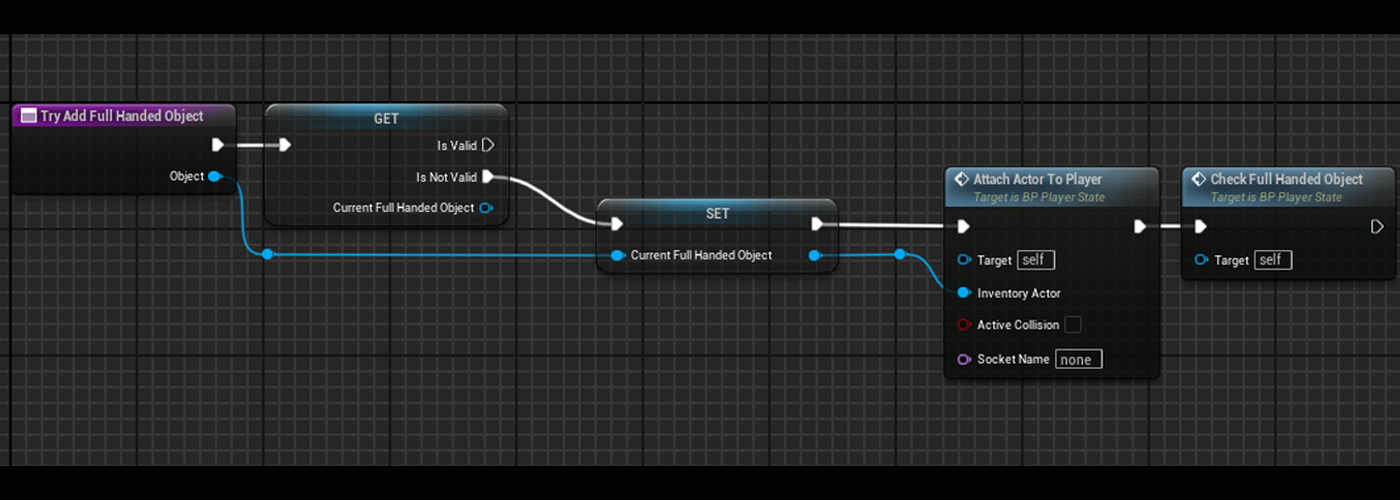
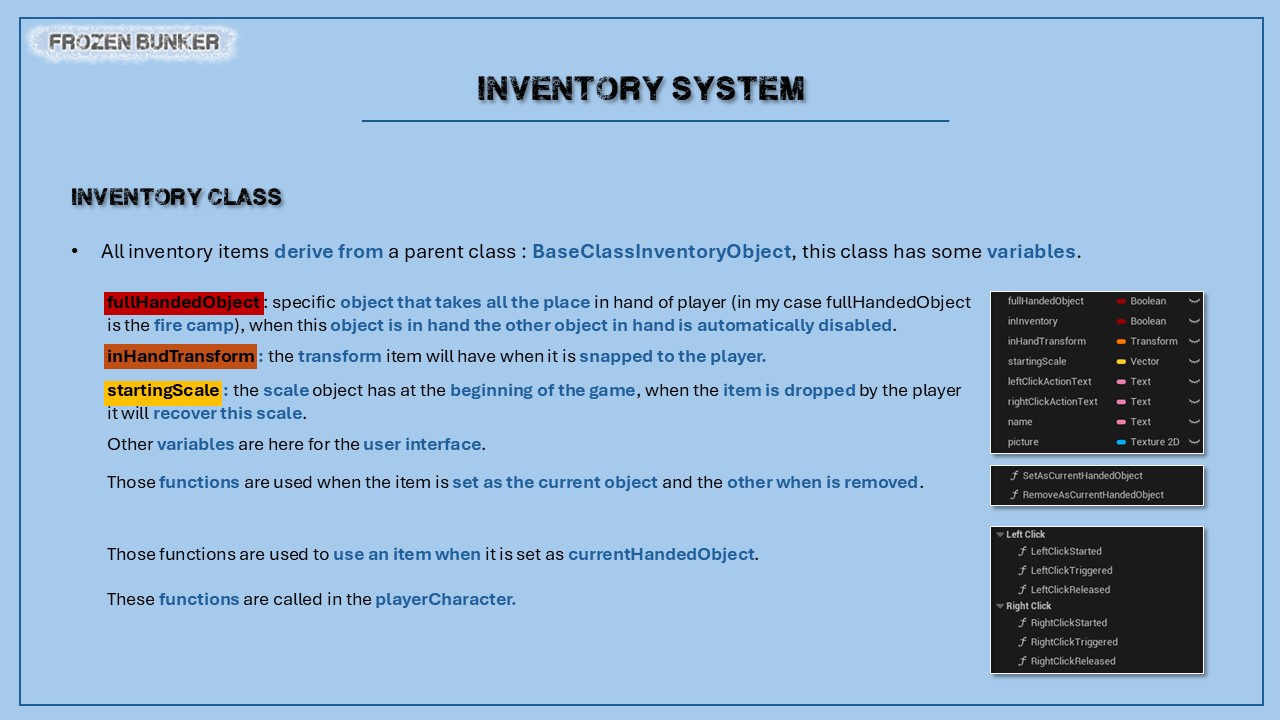
Inventory is stacked in the playerState, this is an array of a class :BaseClassInventory, that has specific variables and functions. This array can have a maximum length of six slots.
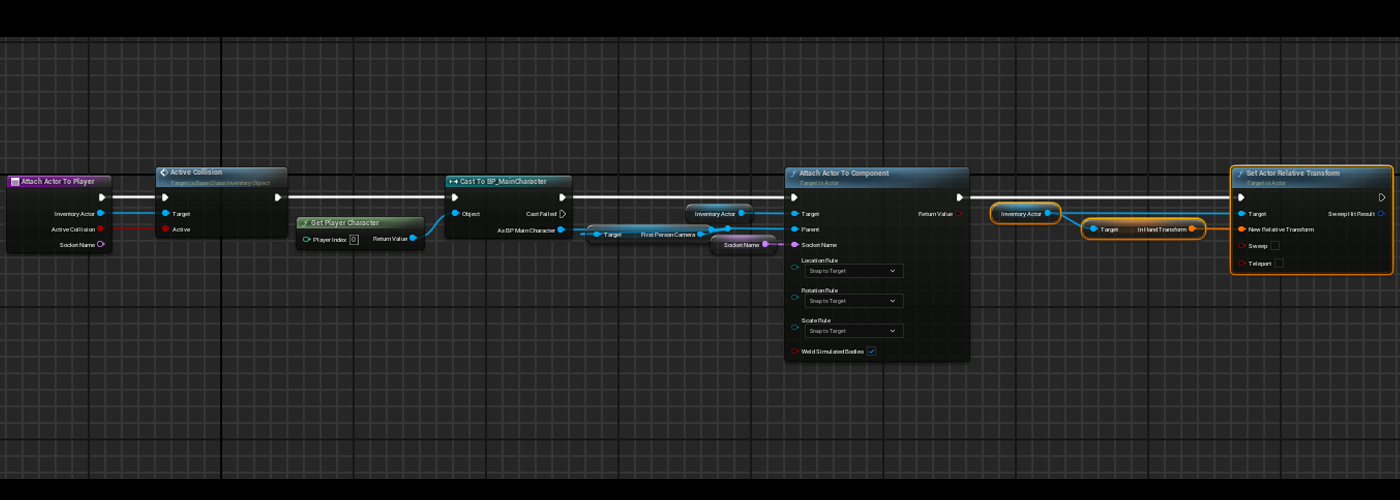
At thebeginningof the game the axe, the bucket and the detector are added to this array.
During the game the player can add to his inventory meat. Meatcan also be dropped from the inventory.
To move in the inventory, an index (integer) can be incremented or decreased by using the mouse wheel. Then the item corresponding to the index is set as the current selected item.
The player can use different interactions with left and right click.
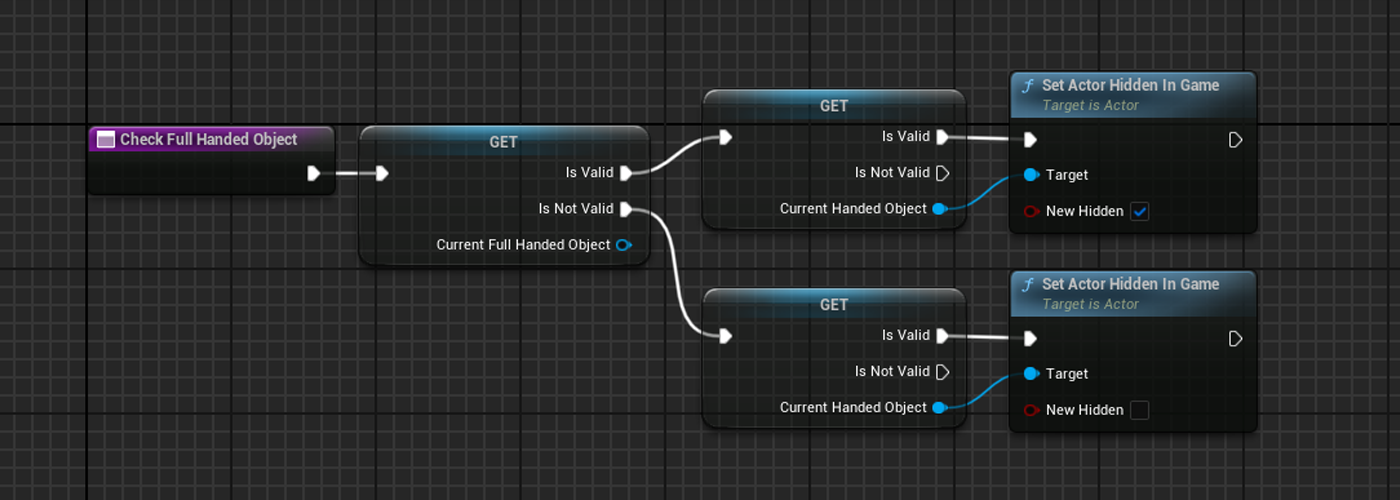
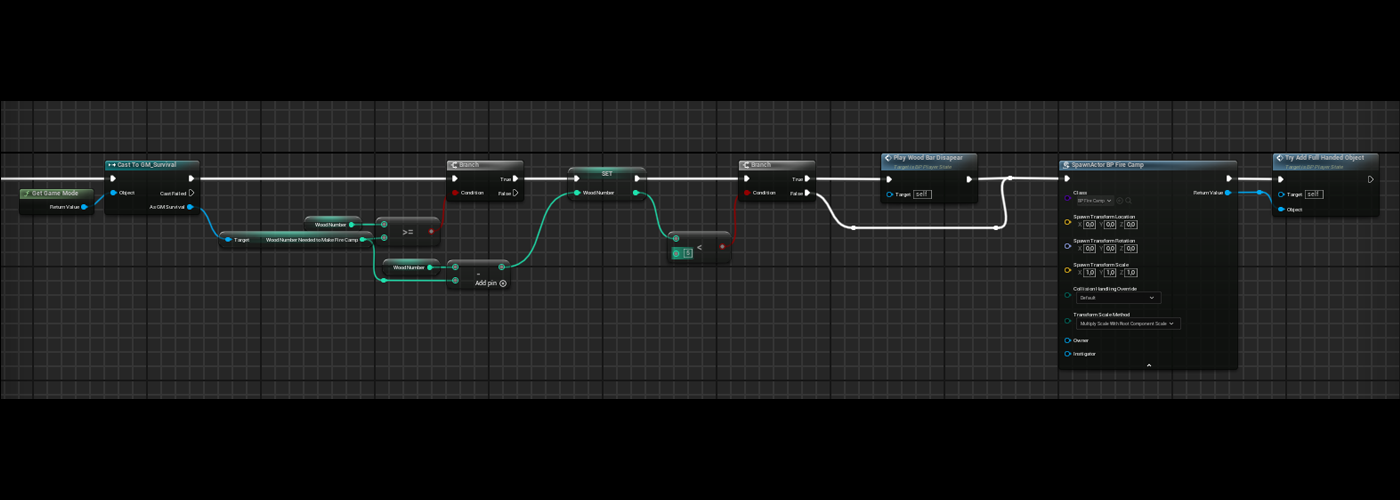
When the player creates a fire camp, the current selected item is hiddenand the fire camp takes place in player’s hands.
Précédent
Suivant
Detector
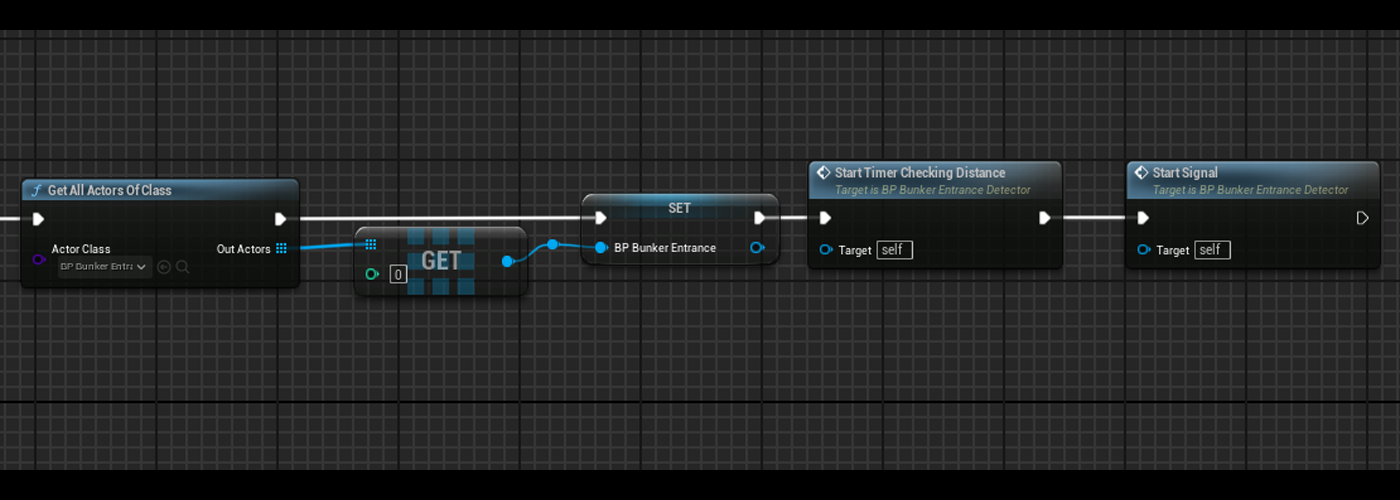
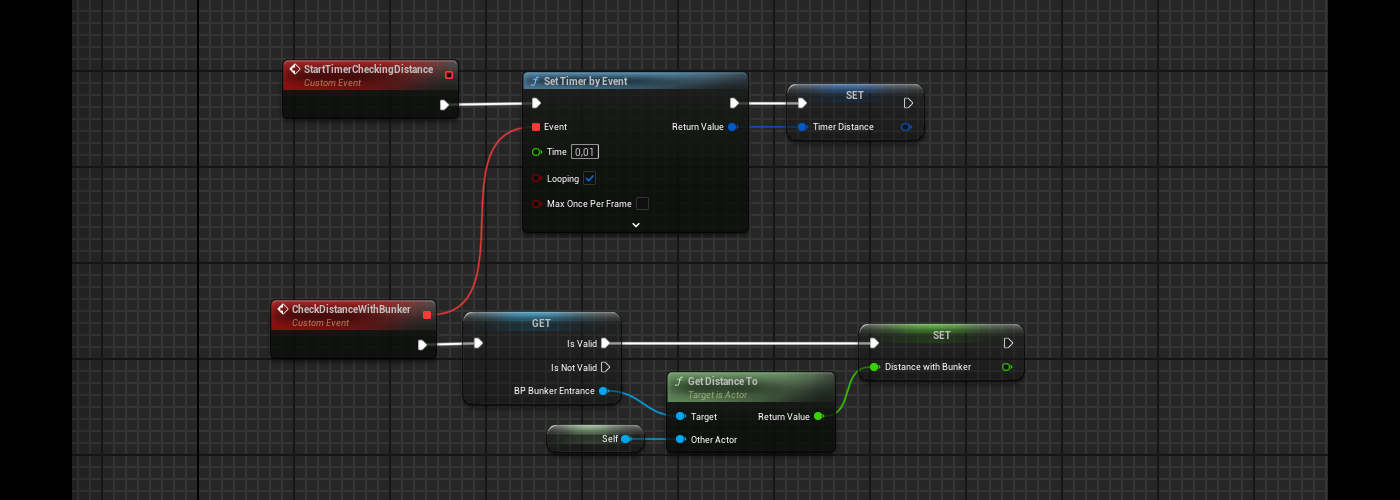
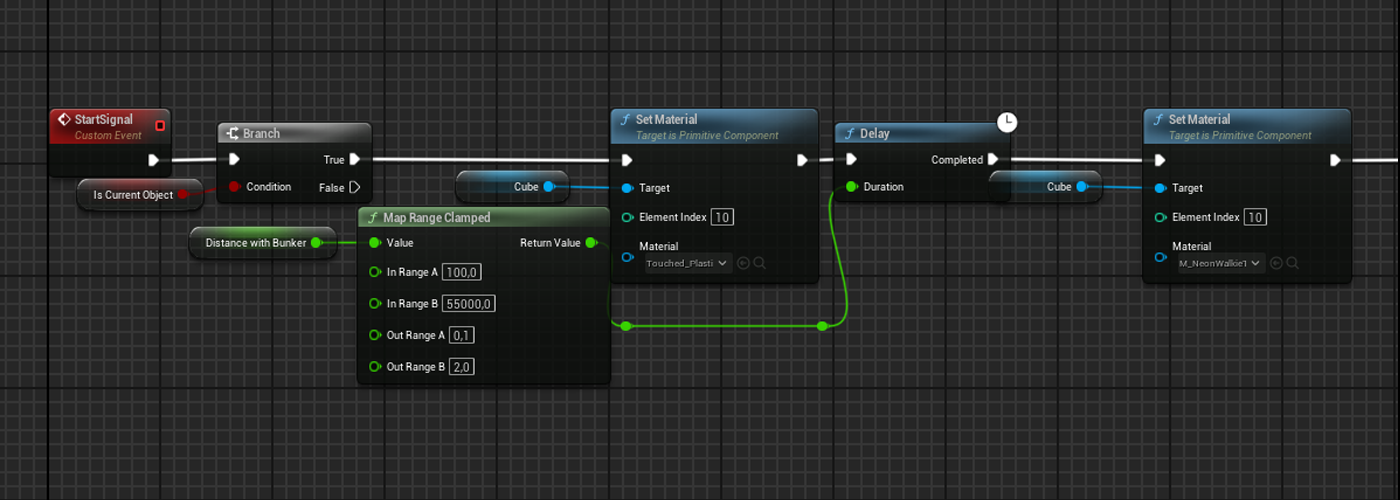
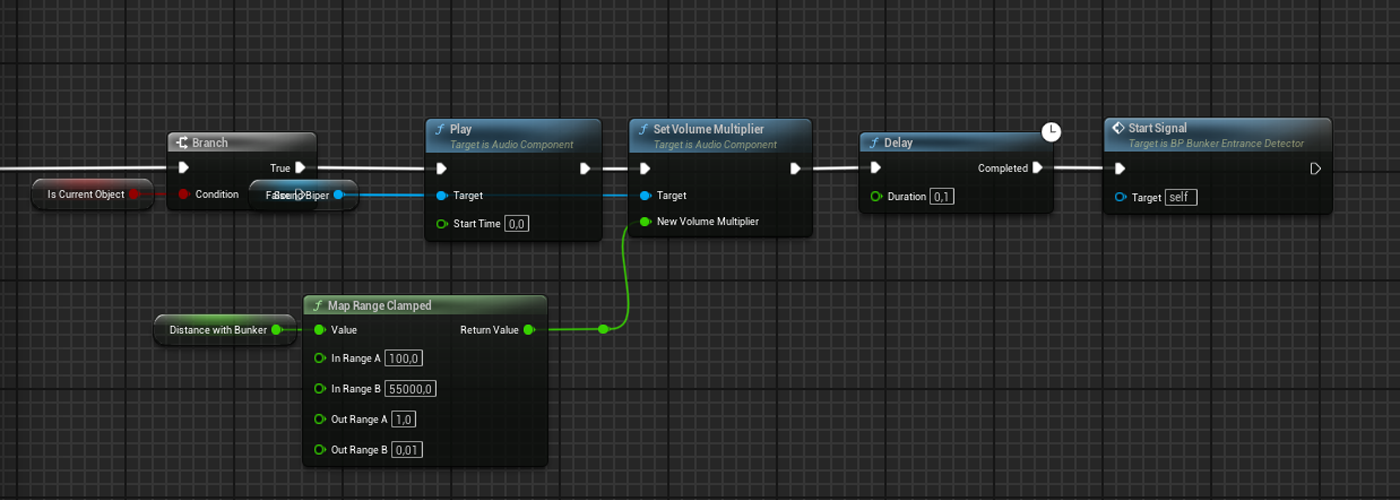
Detector is an inventory item, when it is selected, it emits a signal symbolized by changing the material at the top of the antenna and by playing a sound. The delay between each signal is modified in function of the distance between the player and the bunker entrance.
Précédent
Suivant
Fire camp
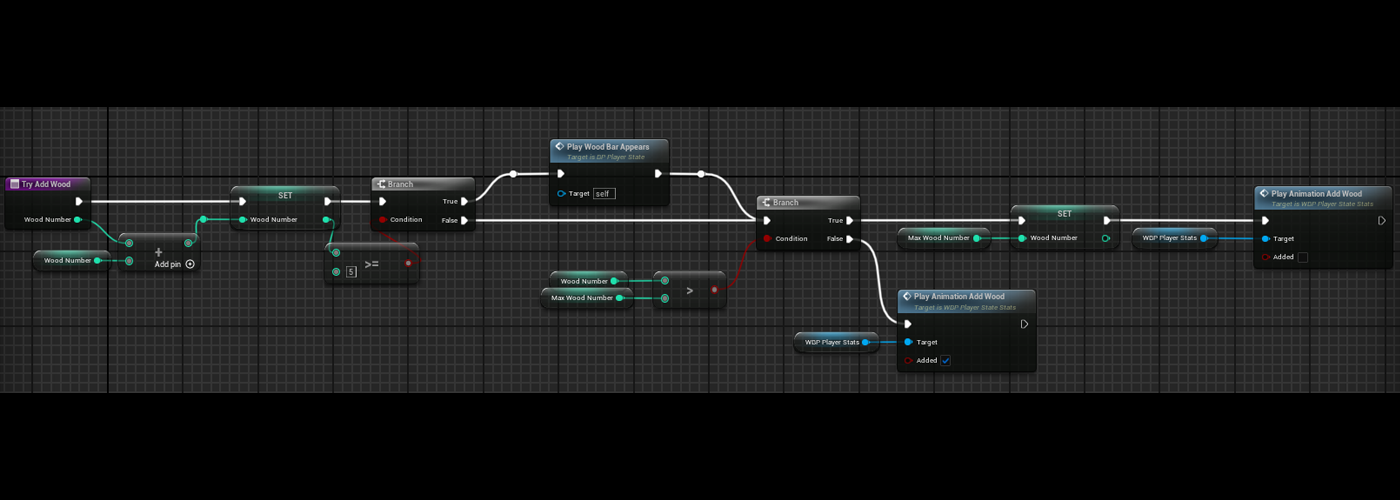
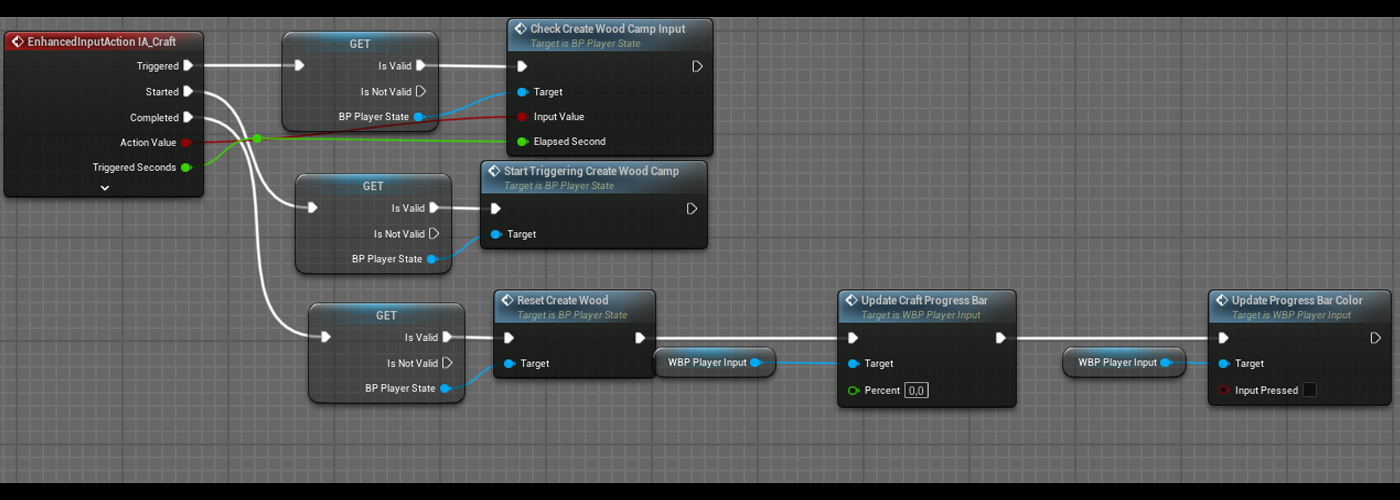
Player can get wood from trees. When he has 5 units of wood he can create a fire camp by pressing the « A » key during a certain time, then a fire camp actor is created and put in player’s hands.
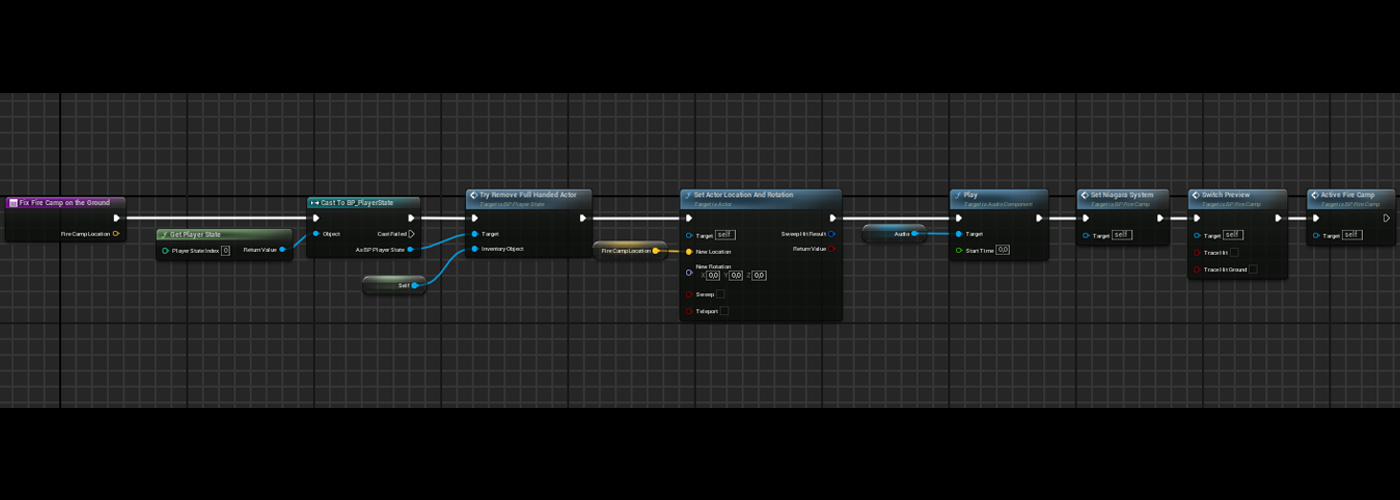
A preview is shown on the ground to show where the fire camp will be when the player will but the fire. When theleft click button is pressed, the fire camp actor is removed from player’s hands and put on the ground.
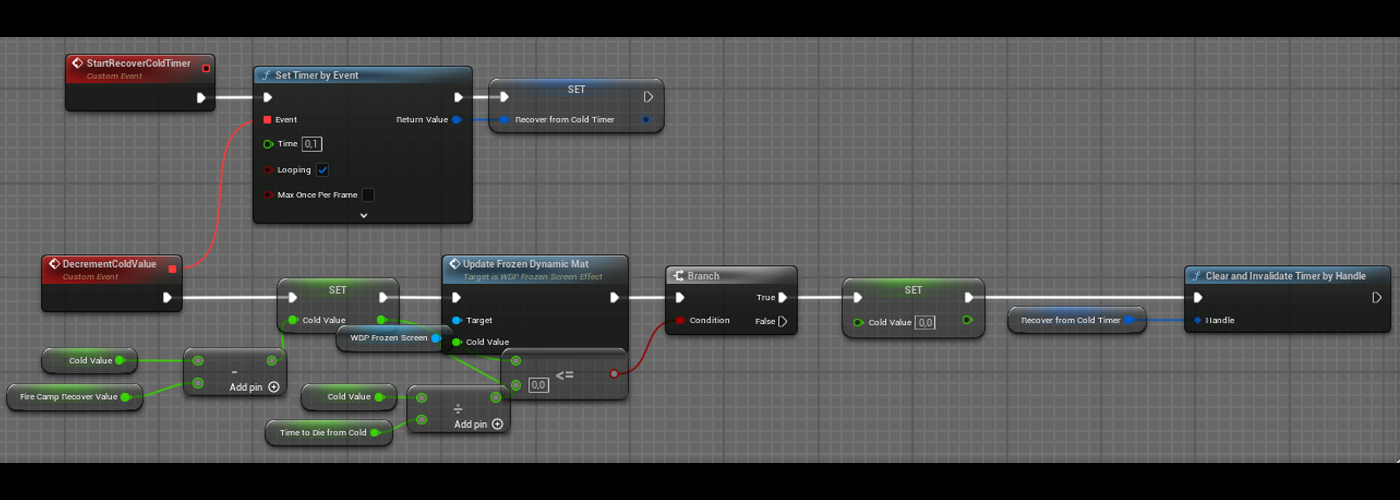
When player enters in the fire camp area, a timer is started to decrease the cold value, while the player is in the fire camp area and the cold value is higher than 0, this timer will continue to run.
Précédent
Suivant
Wolves
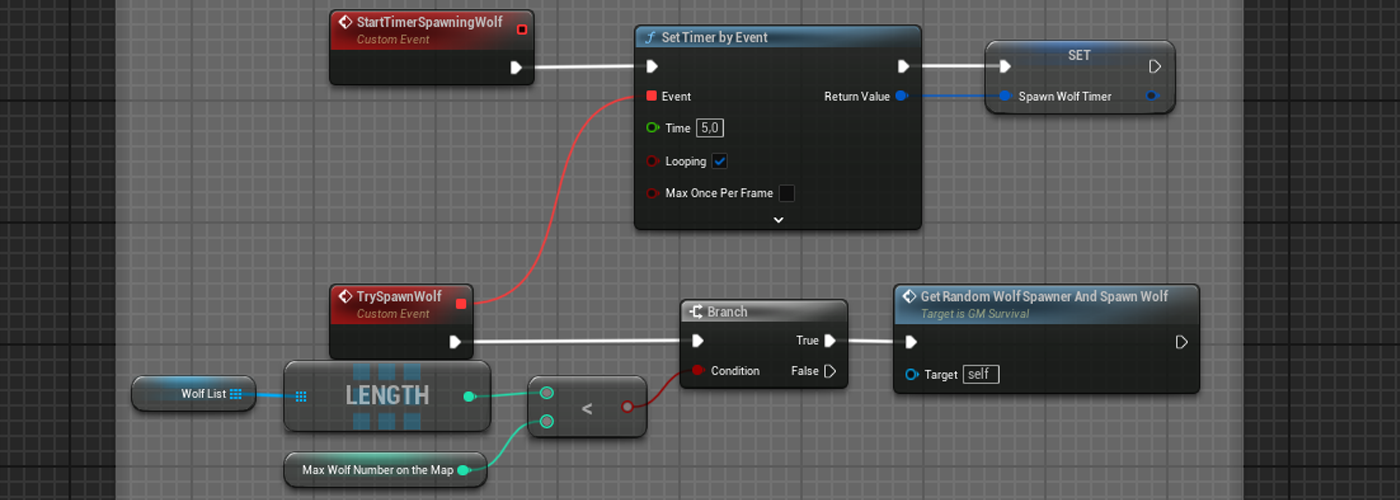
At the beginning of the game, an event timer is started.
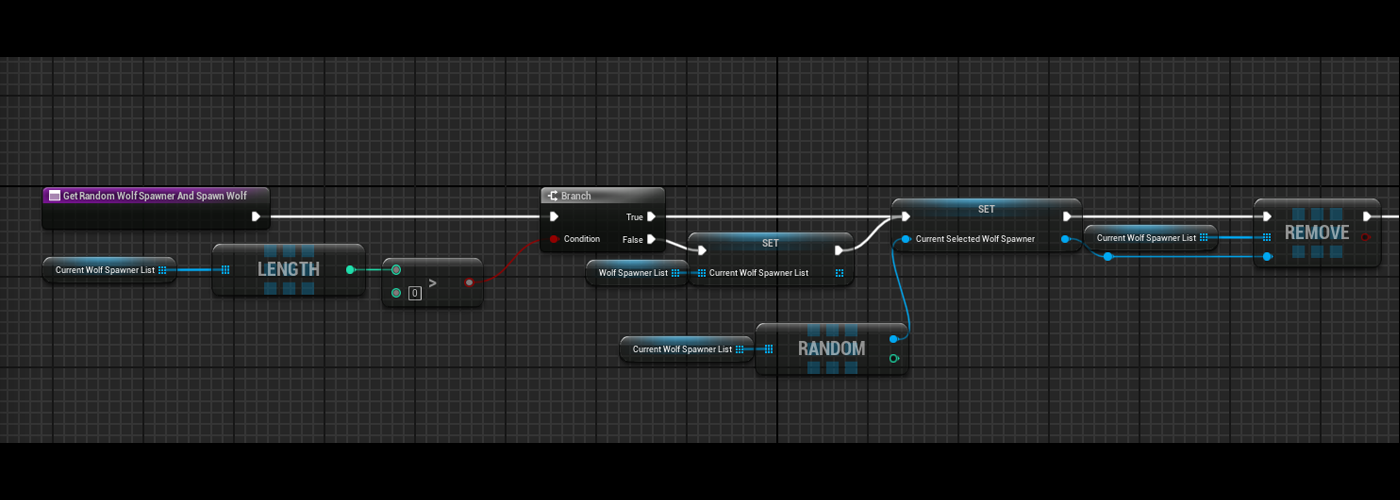
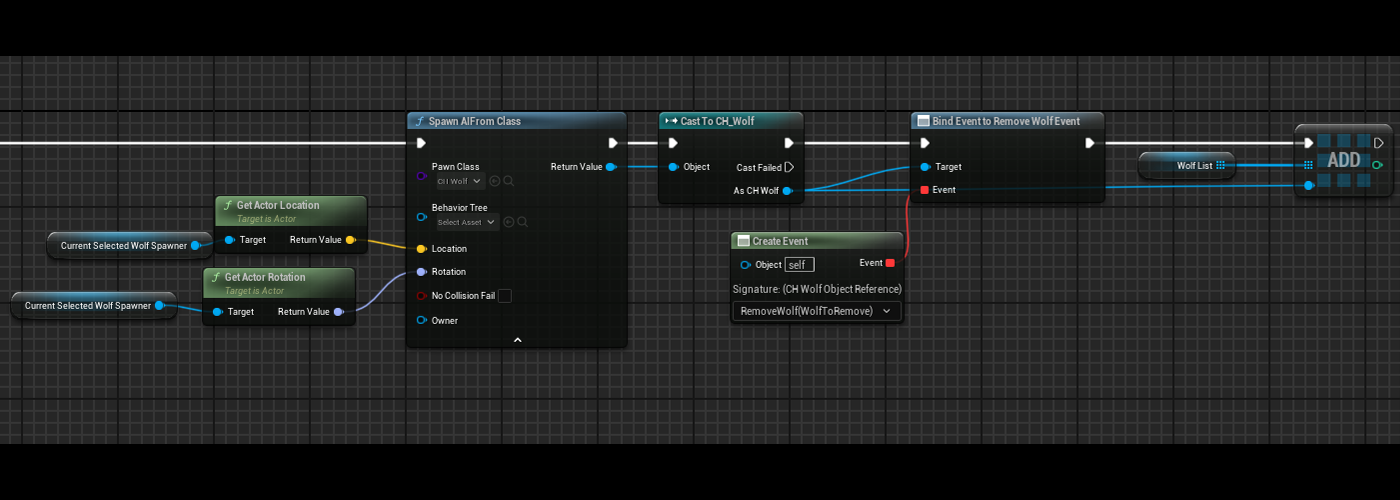
Anarray of actor BP_WolfSpawnLocation is got by the game mode and each time the event is called, a random actor in the array is selected and removed from the list (to force each spawning location to be selected) and the wolf will spawn at this location and start his behavior.
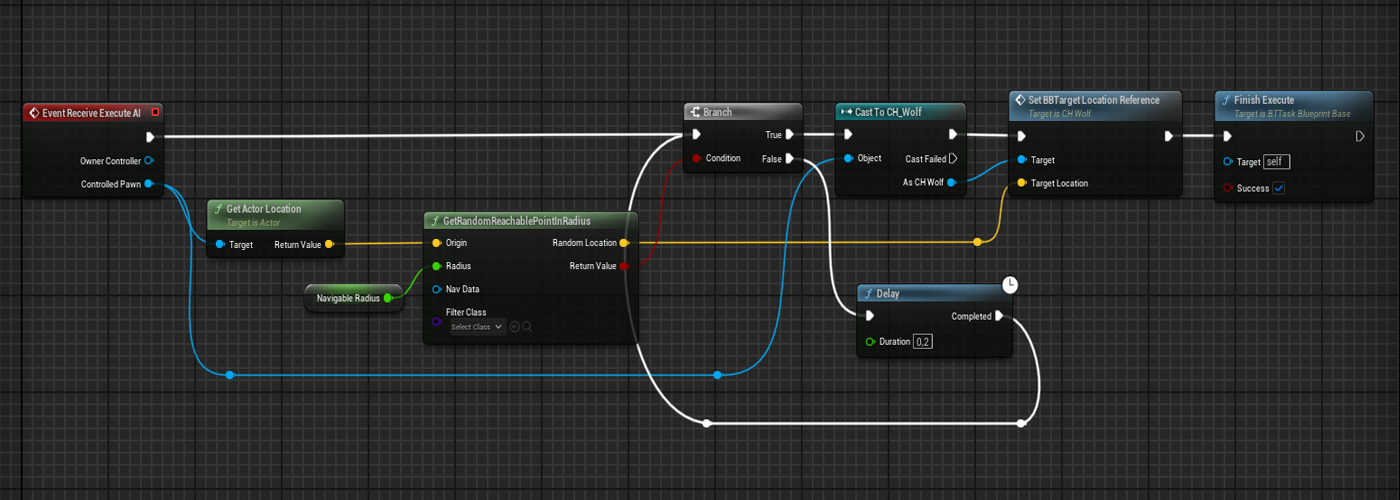
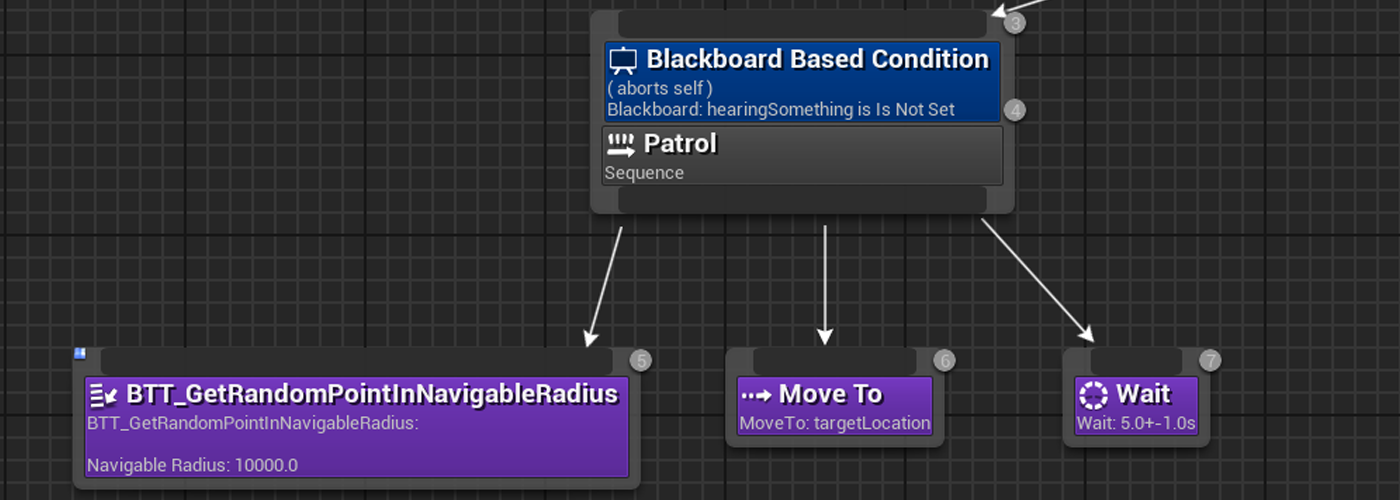
Wolves have two states : patrol and alerted, when they are in patrol state they will take a random point and go to it.
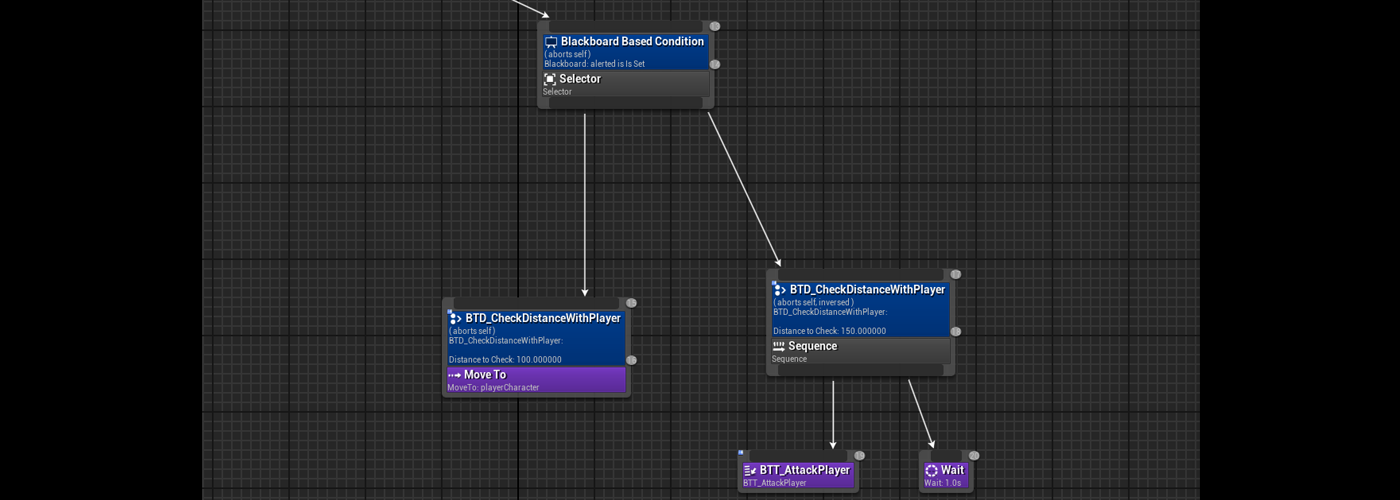
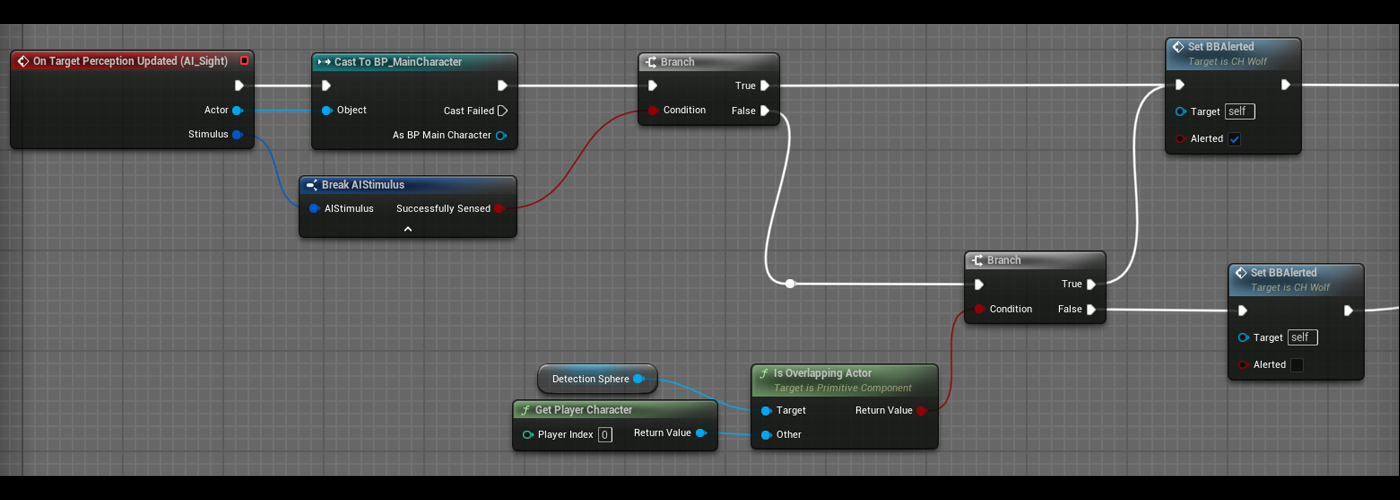
When they are in alerted state they will move to the player, attack him and when they lose the player from their sight, the system checks if the player is in the area if yes, they will continue to chasethe player, if not they will return to thepatrol state.
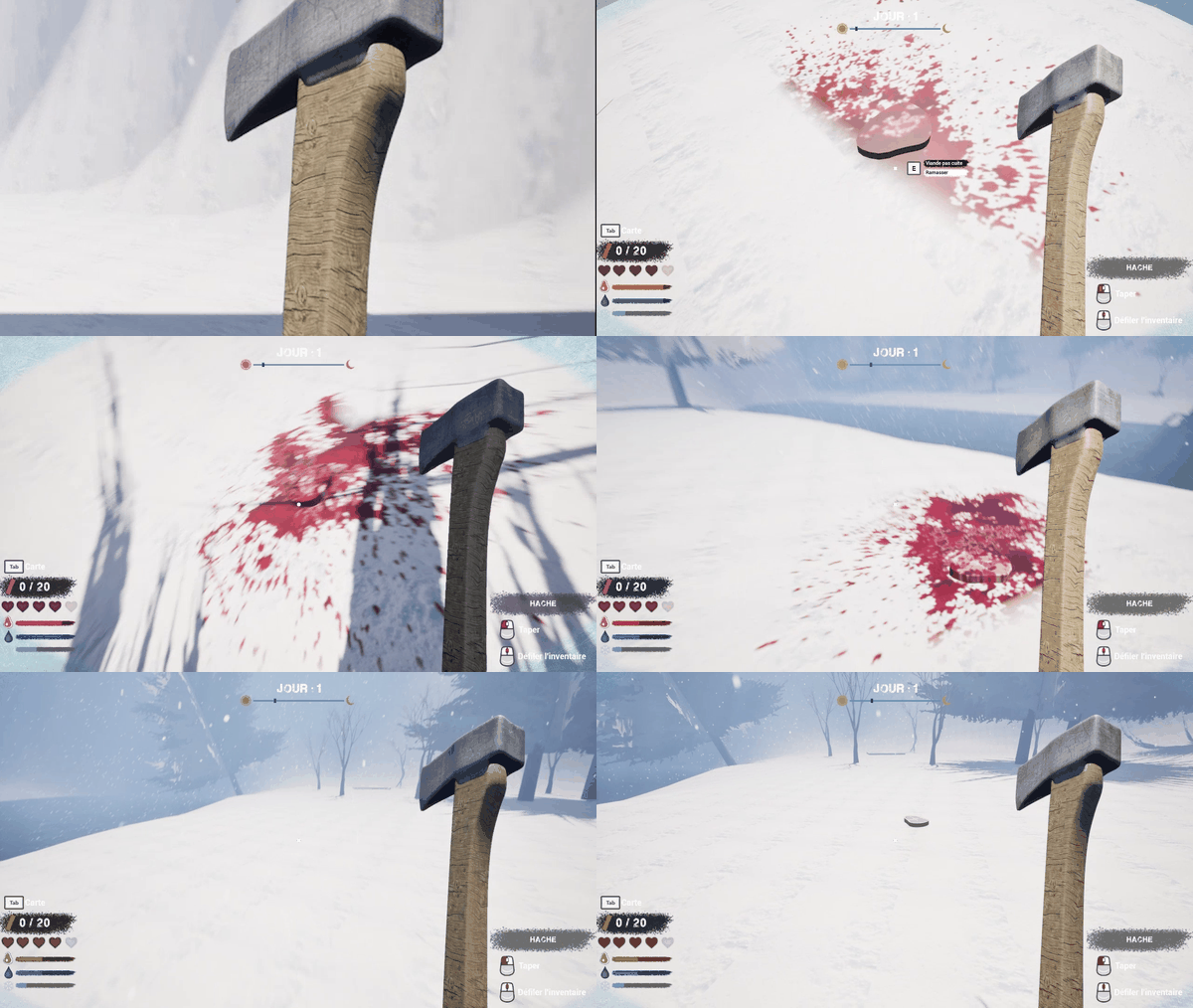
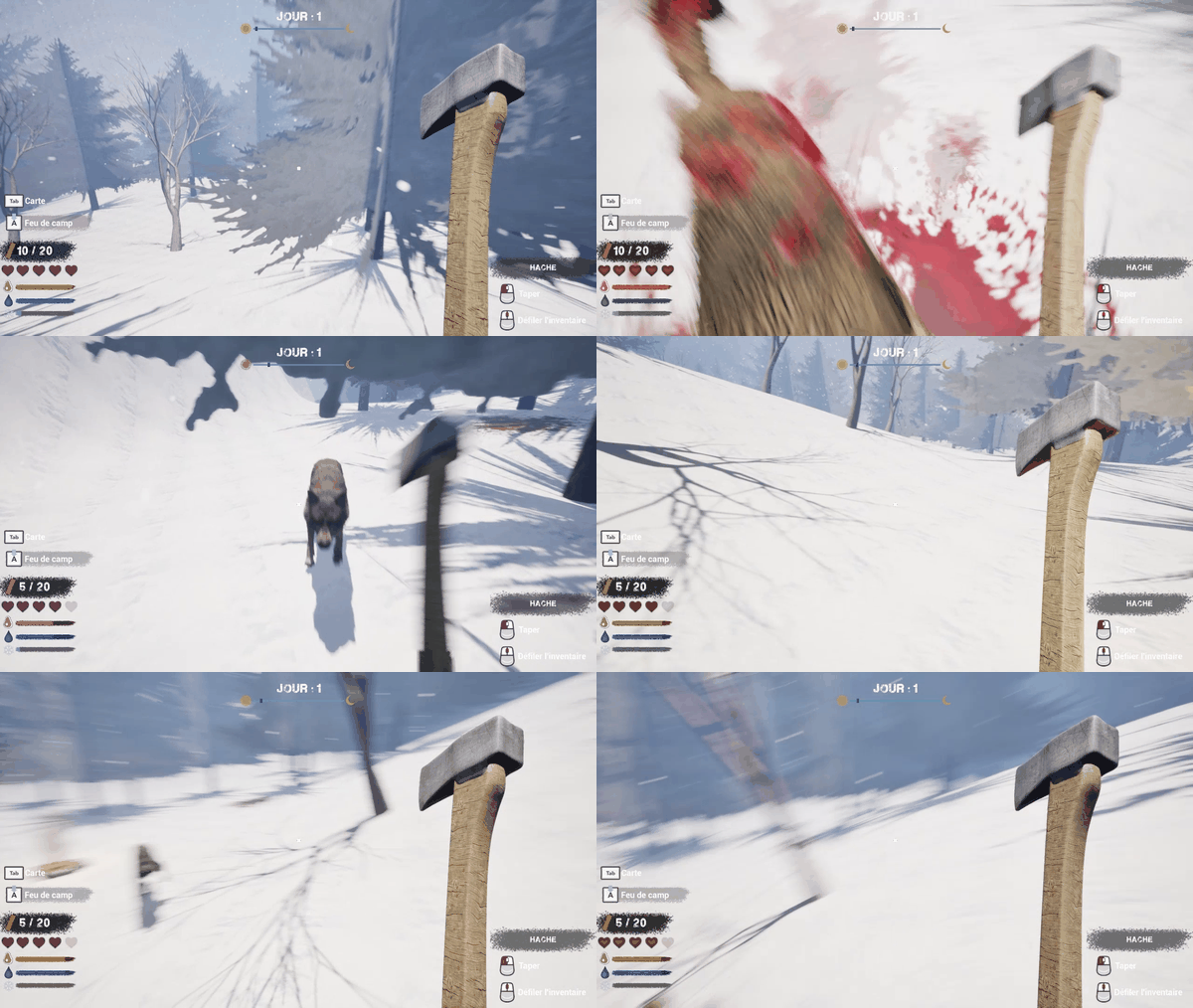
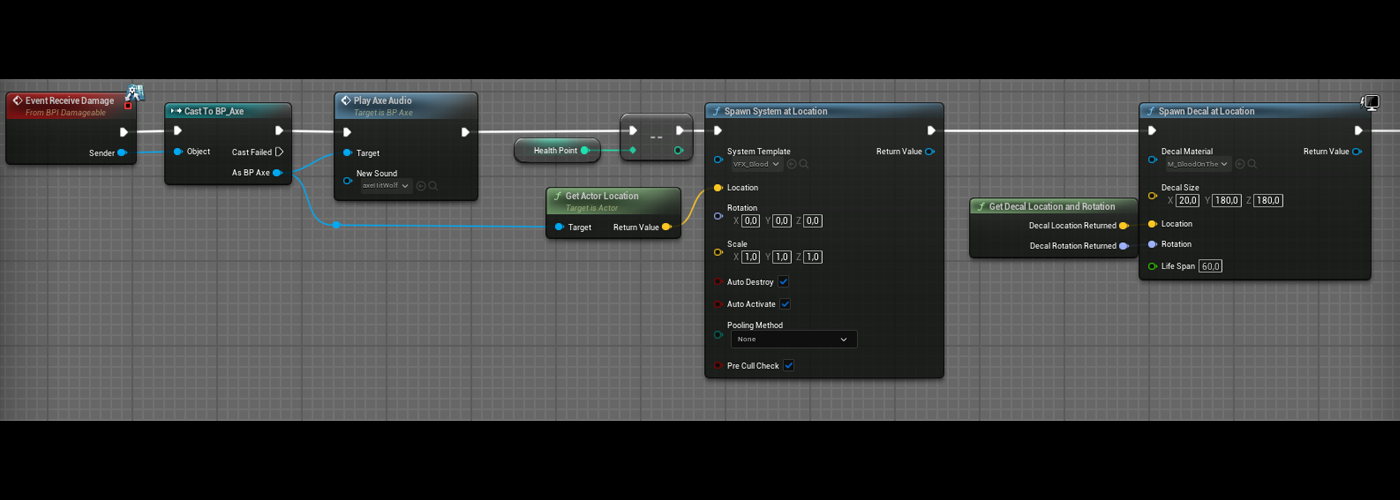
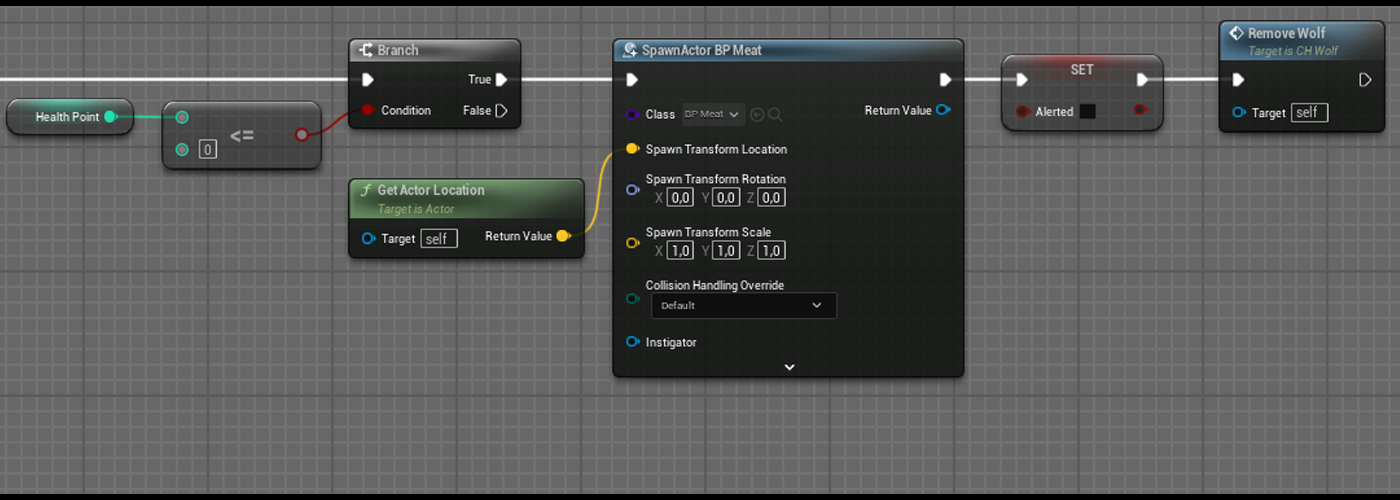
Player can kill wolves by using the axe on them, after two shots, wolves die and drop a piece of meat.
Précédent
Suivant
Précédent
Suivant
Cooking
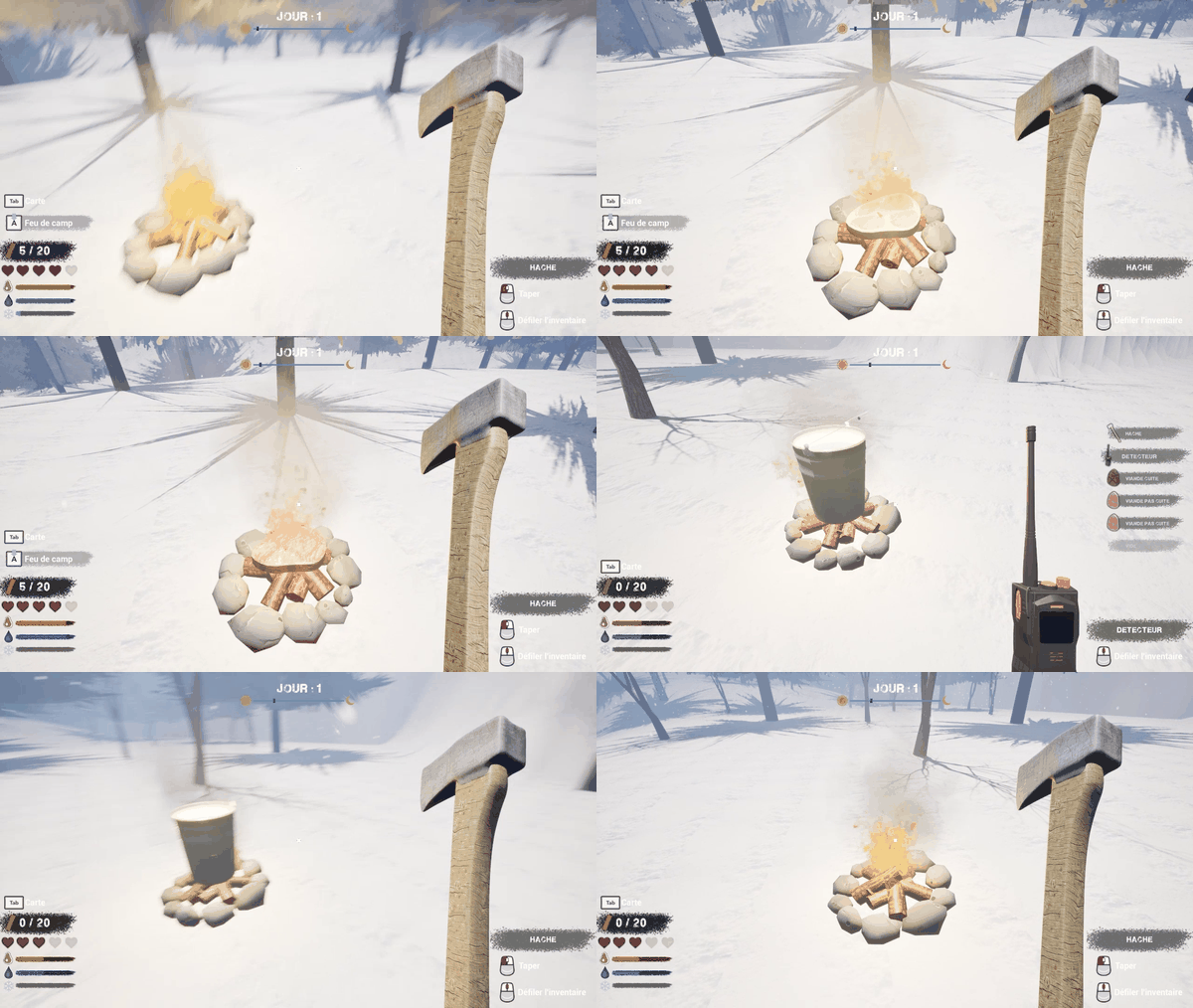
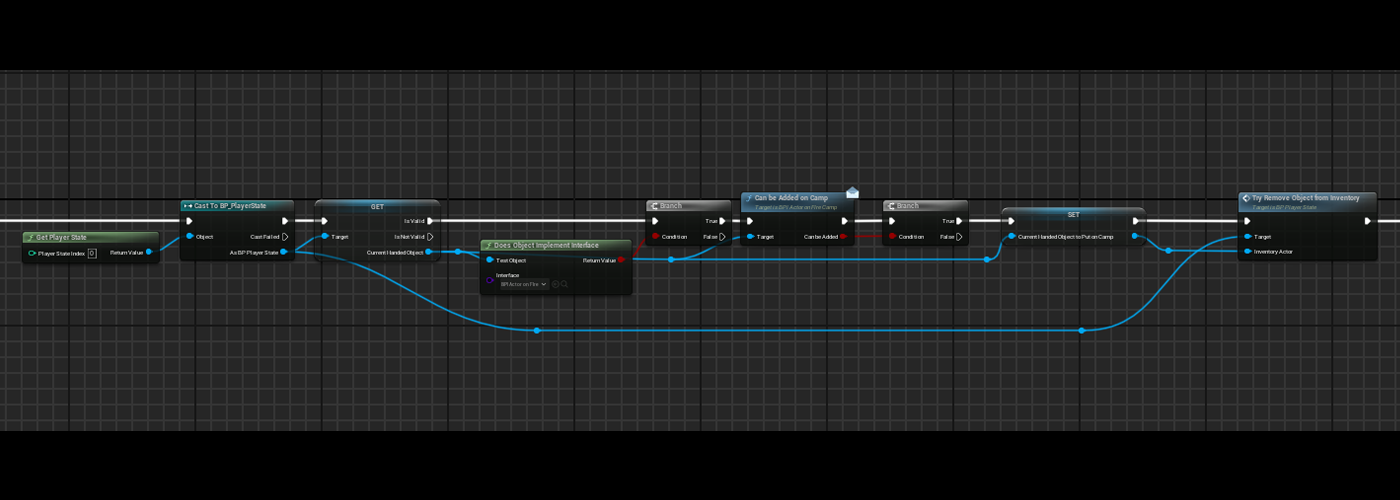
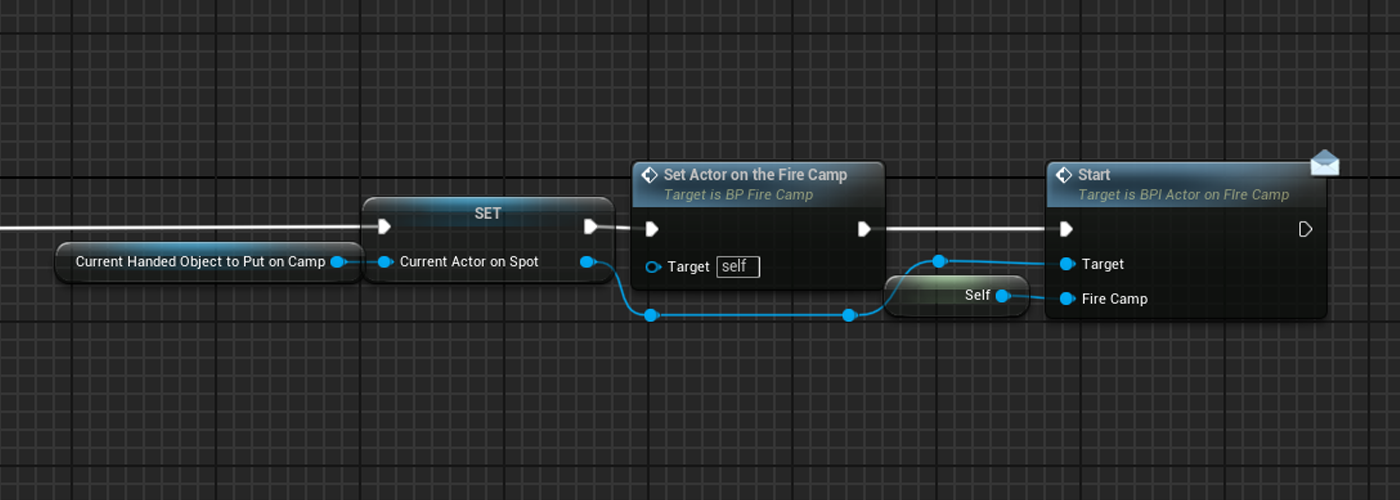
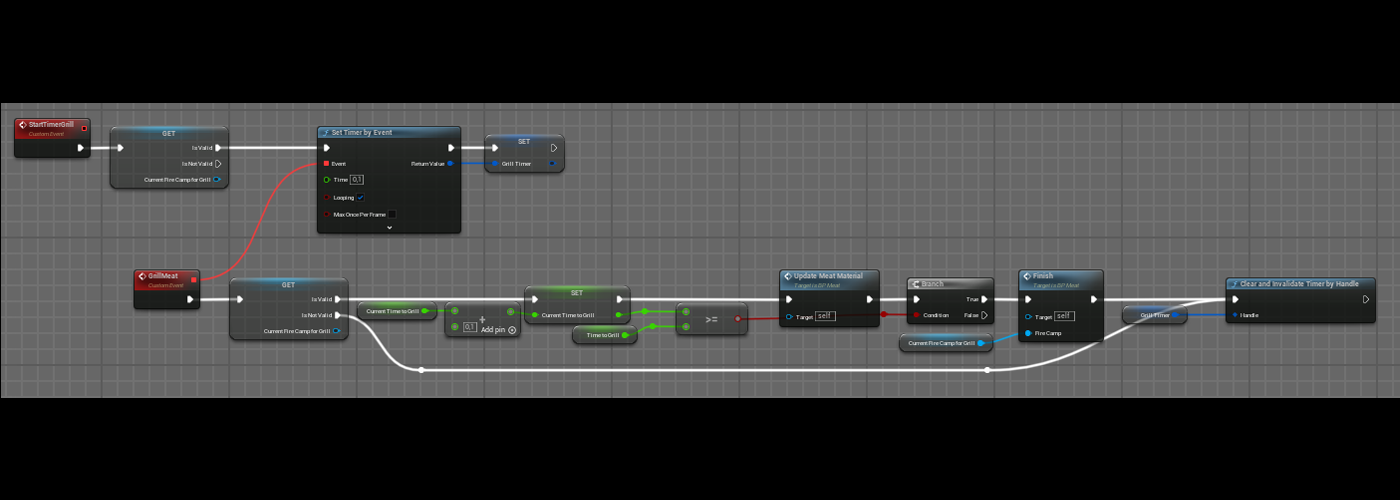
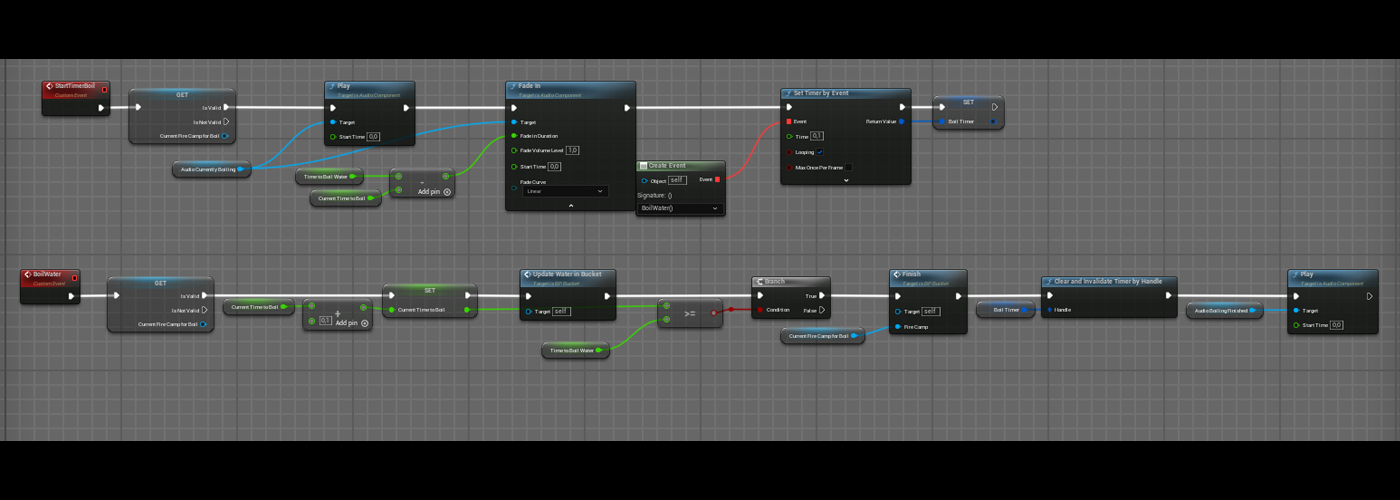
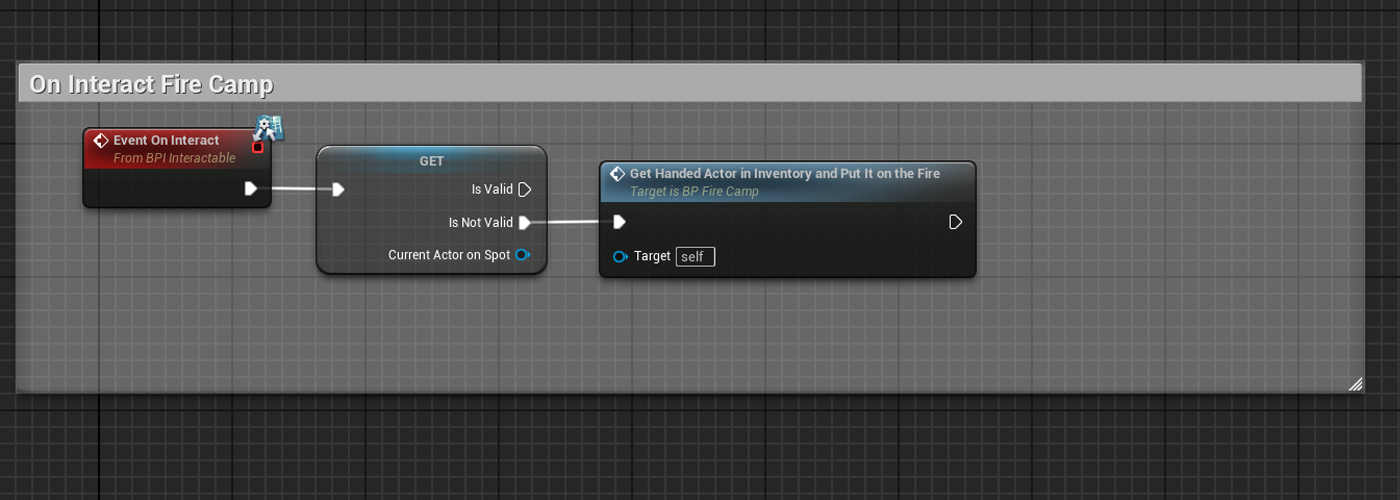
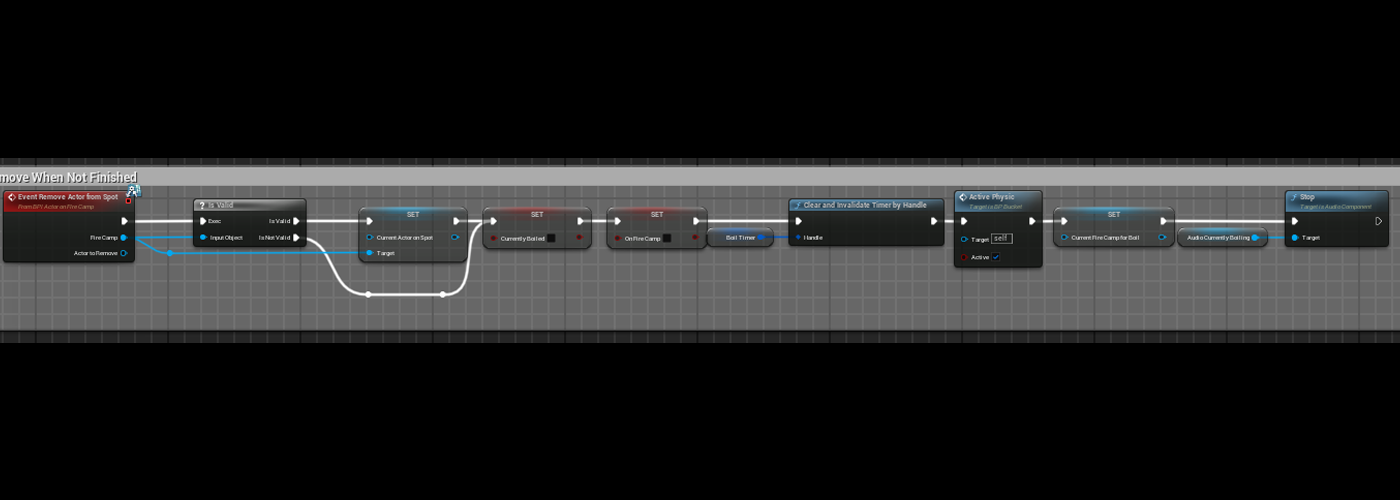
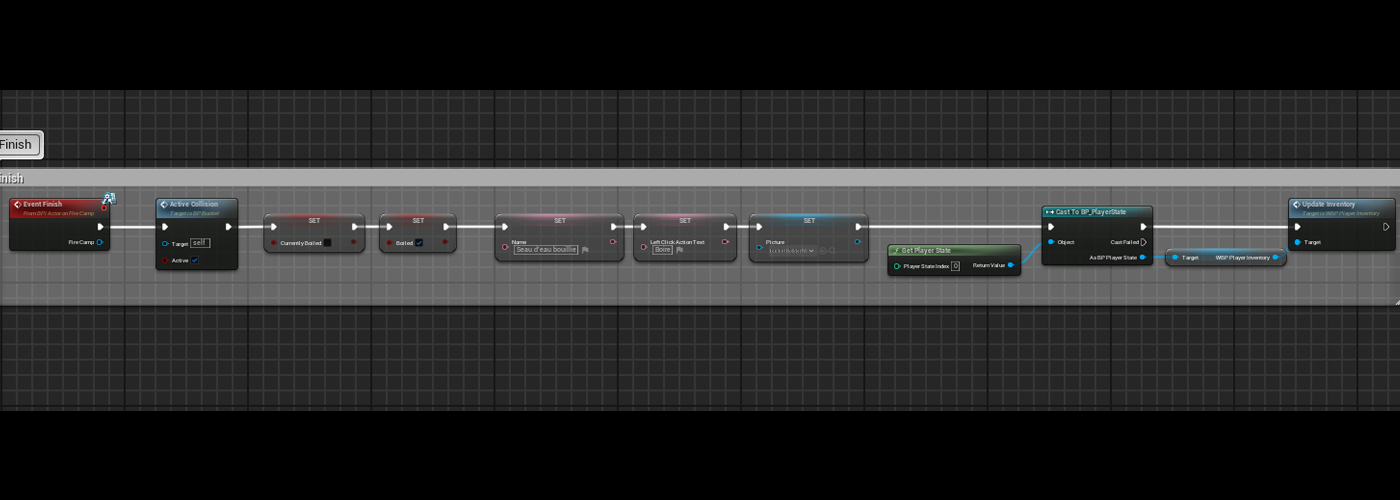
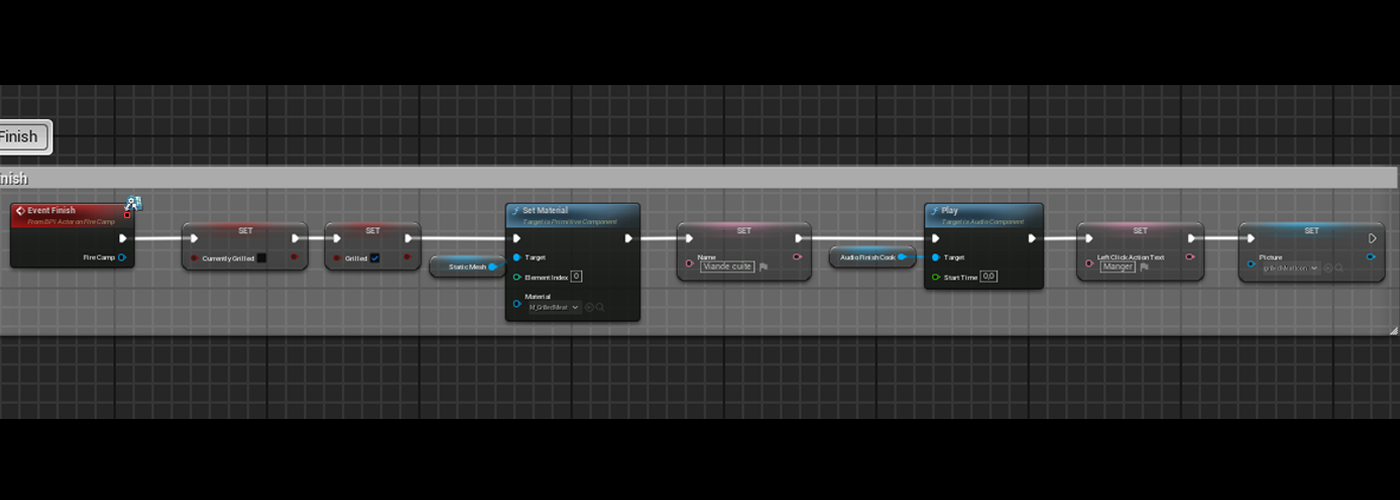
When a fire camp is put on the ground, the player can put a piece of meat or the bucket filled with water. For those items the behavior is the same, when the player interacts with the fire camp, the item he has in hands will be put on the fire camp and an internal timer will be started (for the meat, it’s the grill and for the bucket, it’s the boiling). The player canput one object on the fire camp.
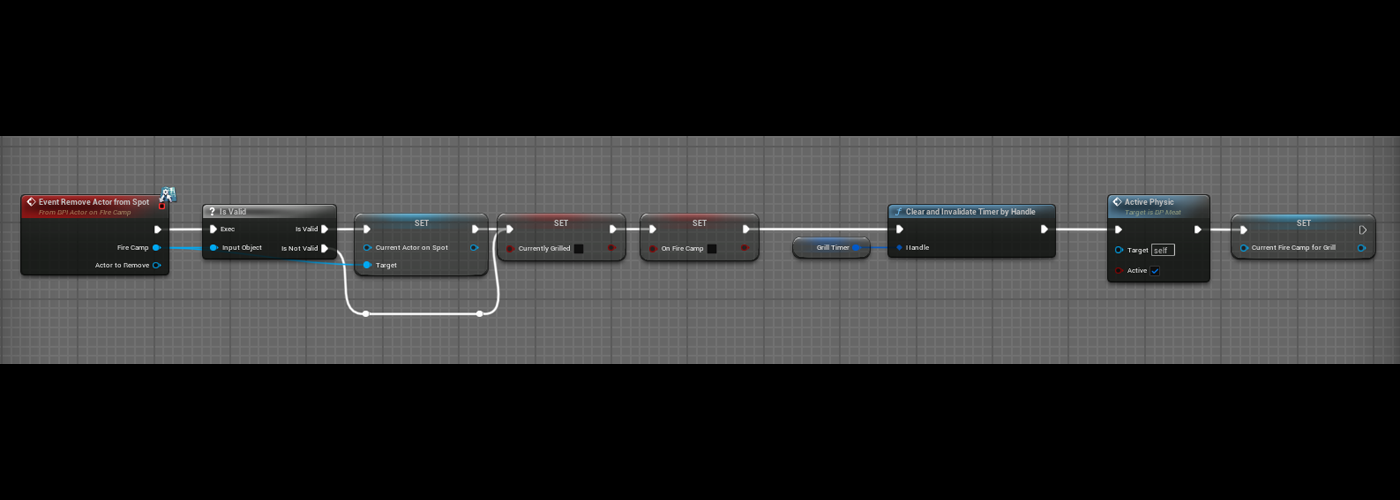
The player can interact at any time with the object on the fire camp, if the item is not finished to cook the internal timer is stopped. When the item is finished to cook, it stays on the camp while the player is not interacting with it.
Précédent
Suivant
Map
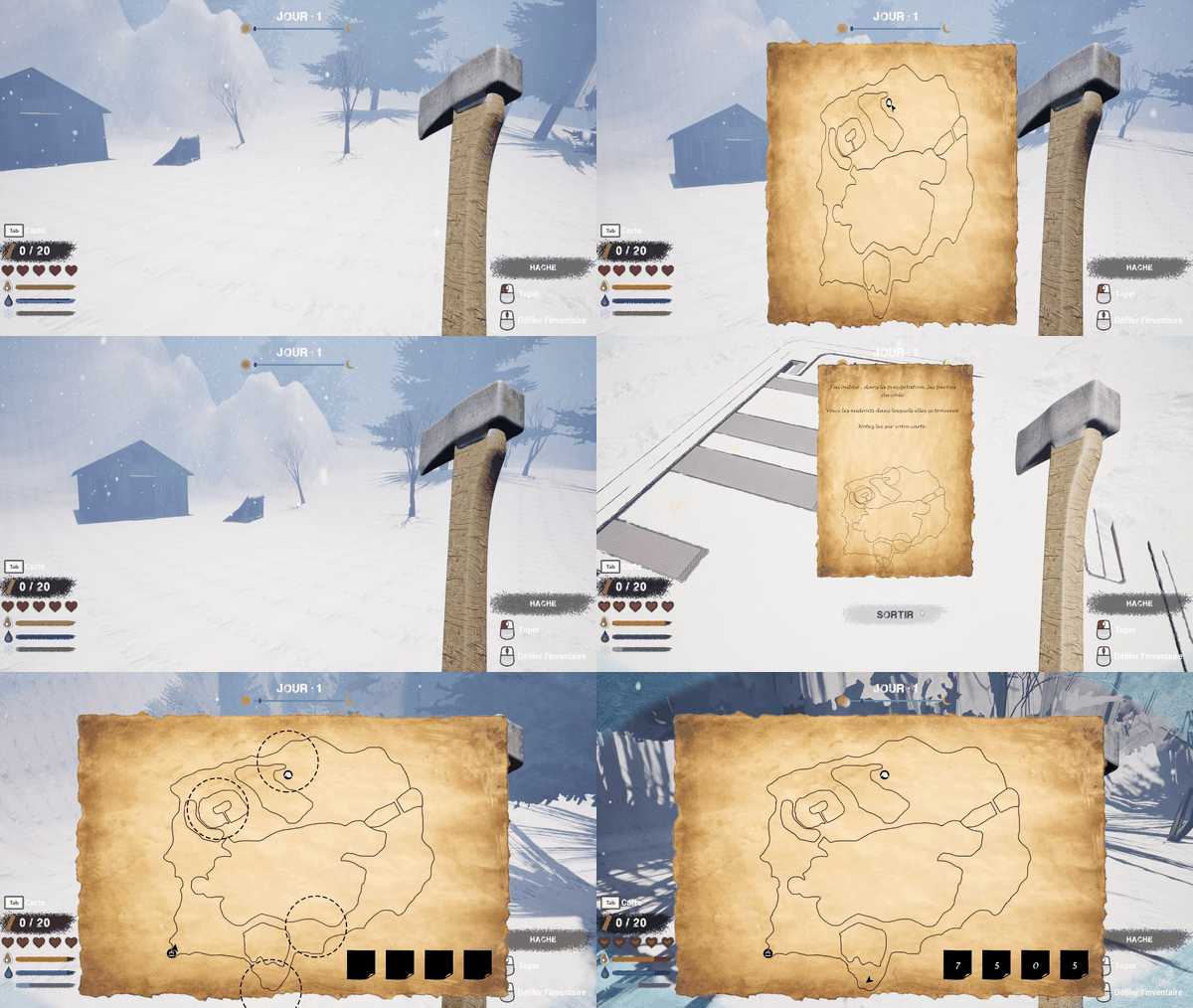
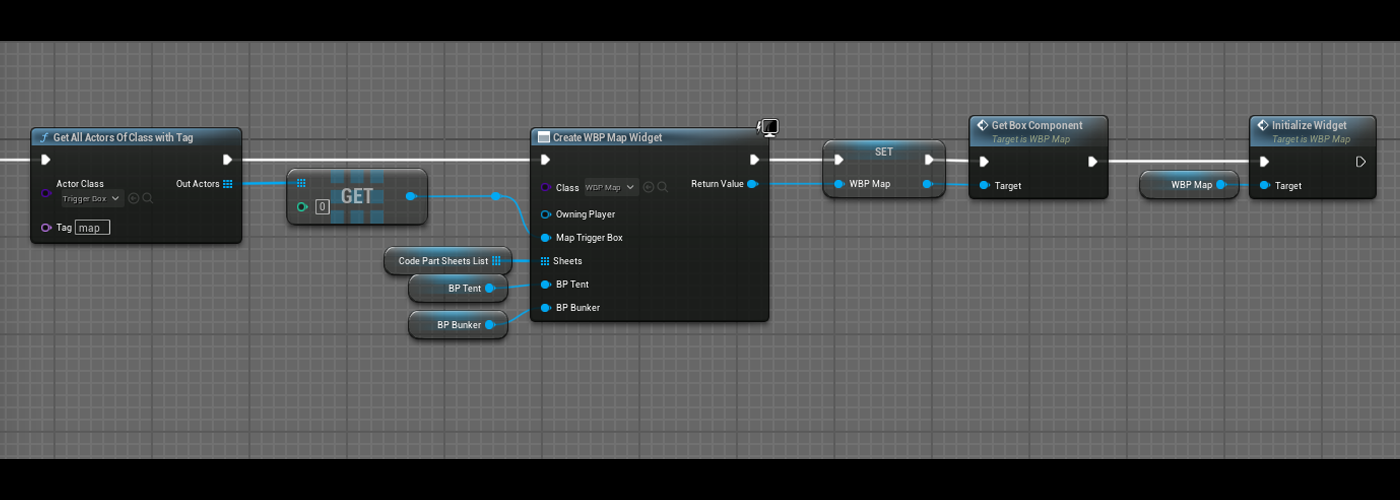
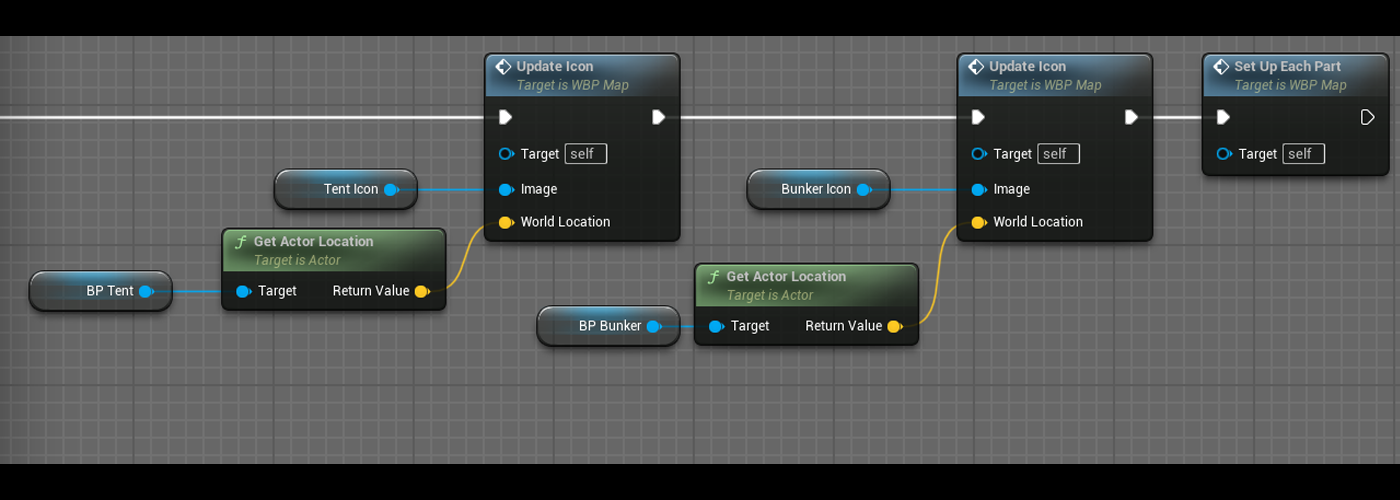
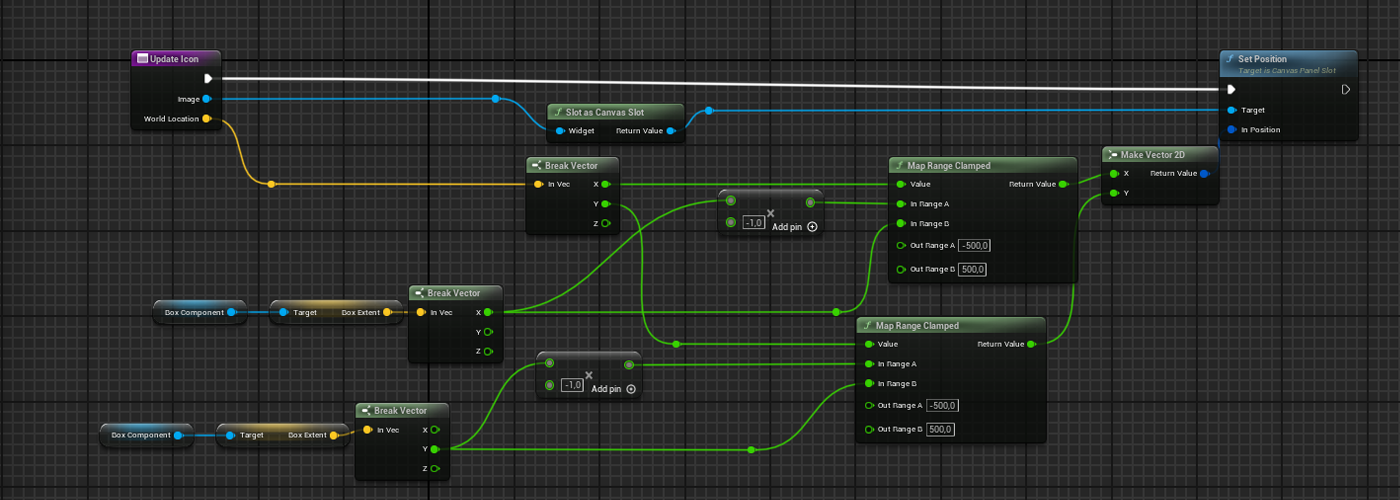
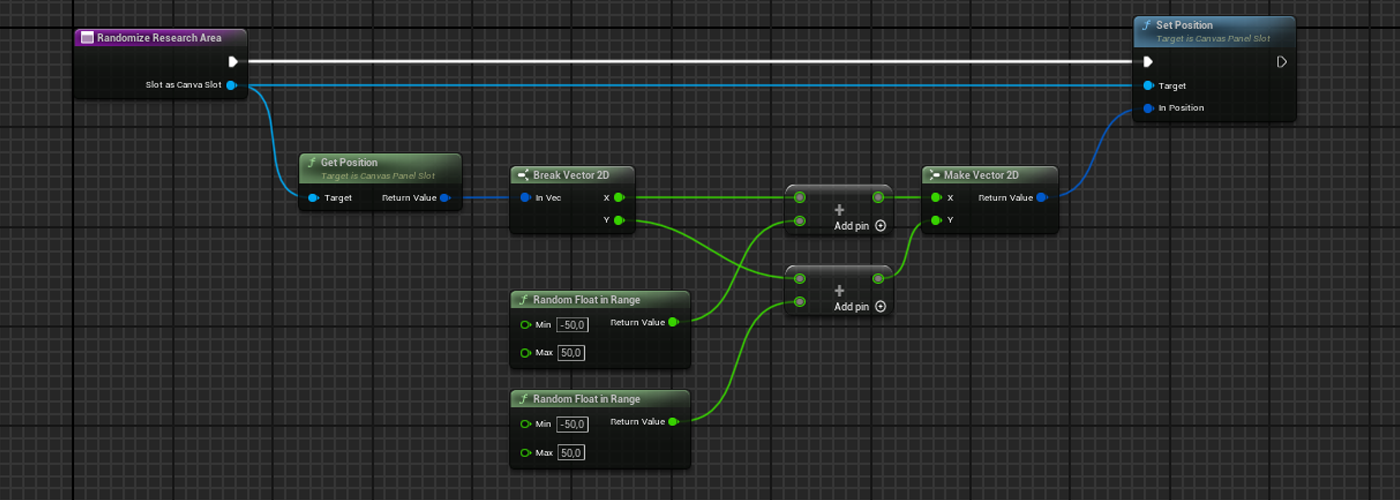
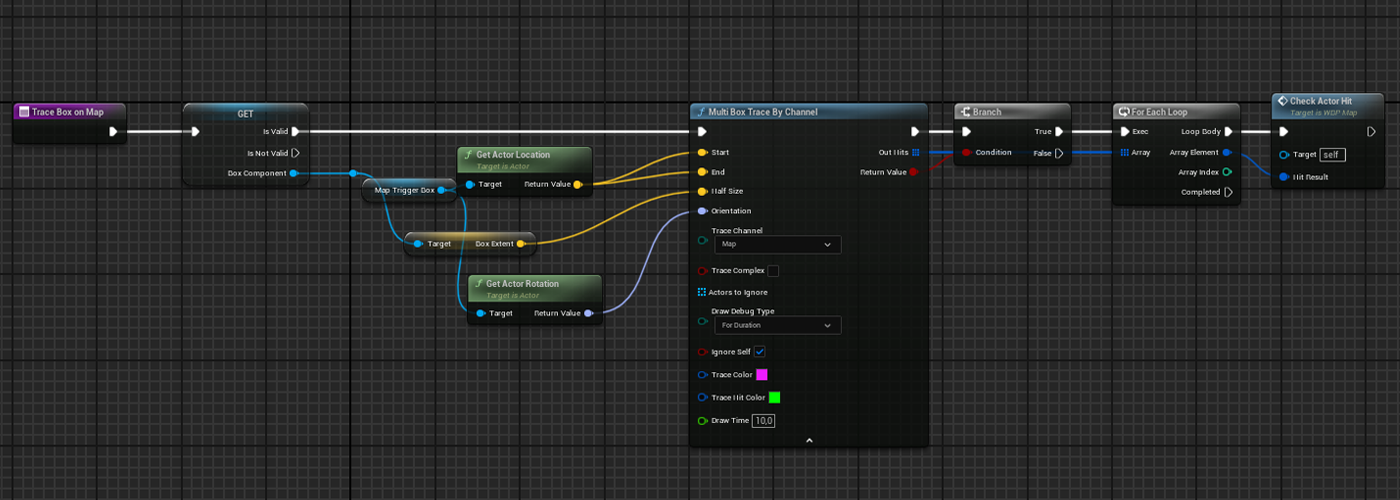
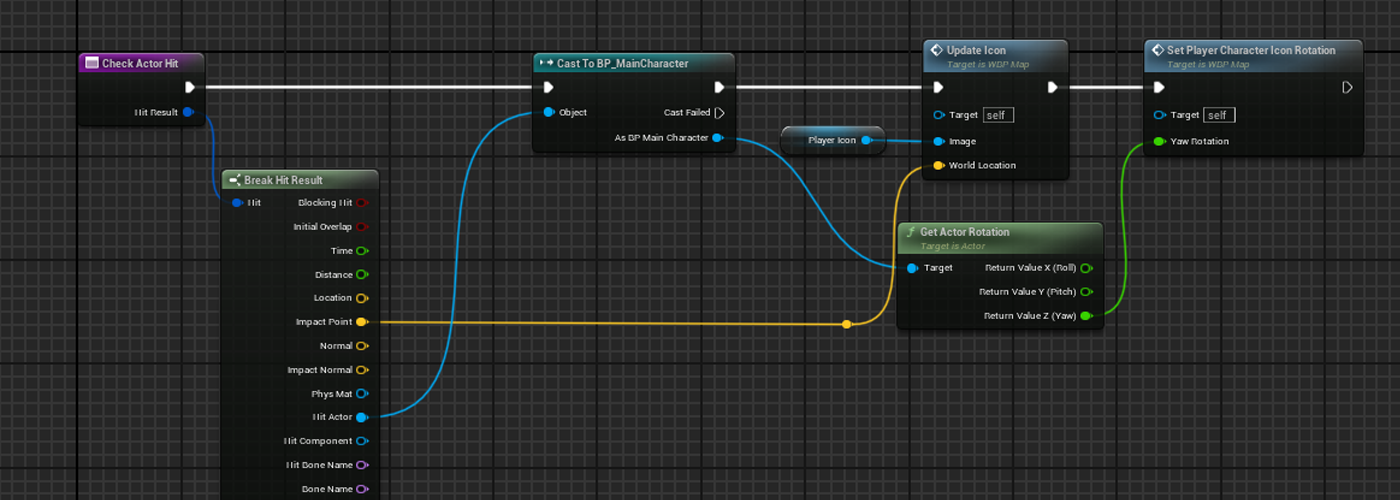
A box is placed at the center of the world, when the player presses the Tab key, the widget that shows the map will be added to the viewport. On this widget there is a canvas that contains the different icons. For the static objects(tent, bunker entrance, code sheet part) their positions relative to the box are taken and converted to set the linked icon position on the canvas. For the movable objects(player character), this is the same behavior but the update is made each time the map is open on screen.
Précédent
Suivant
Scripted event
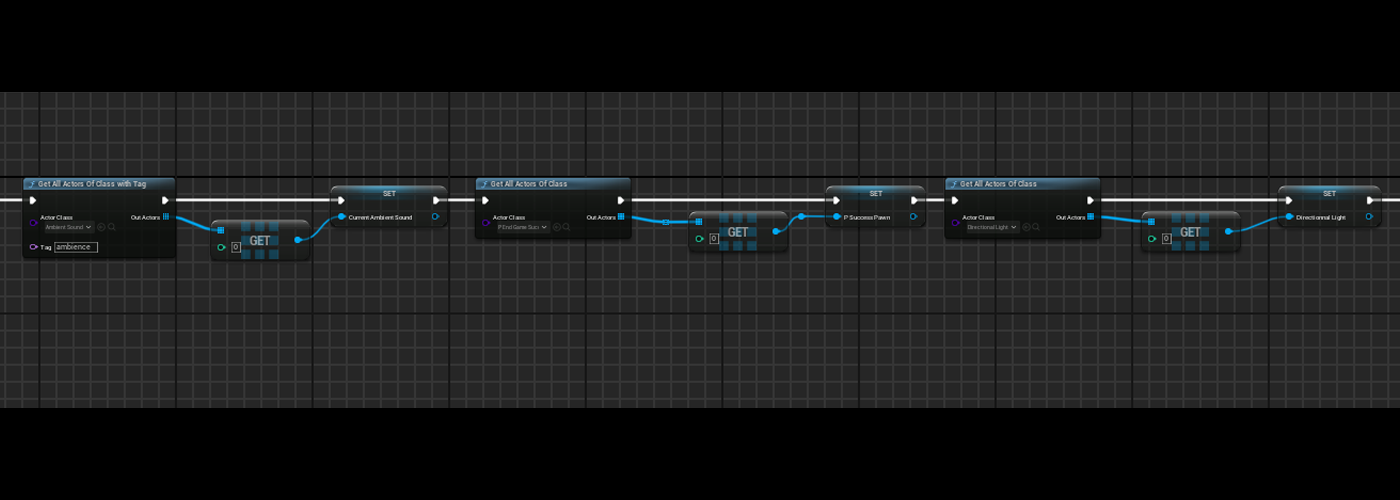
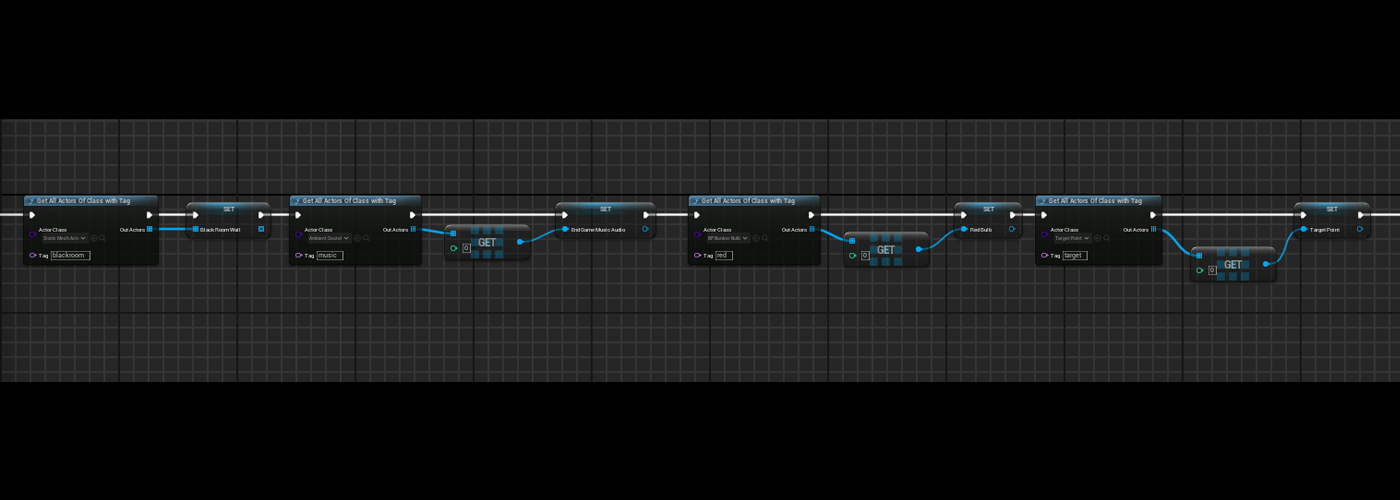
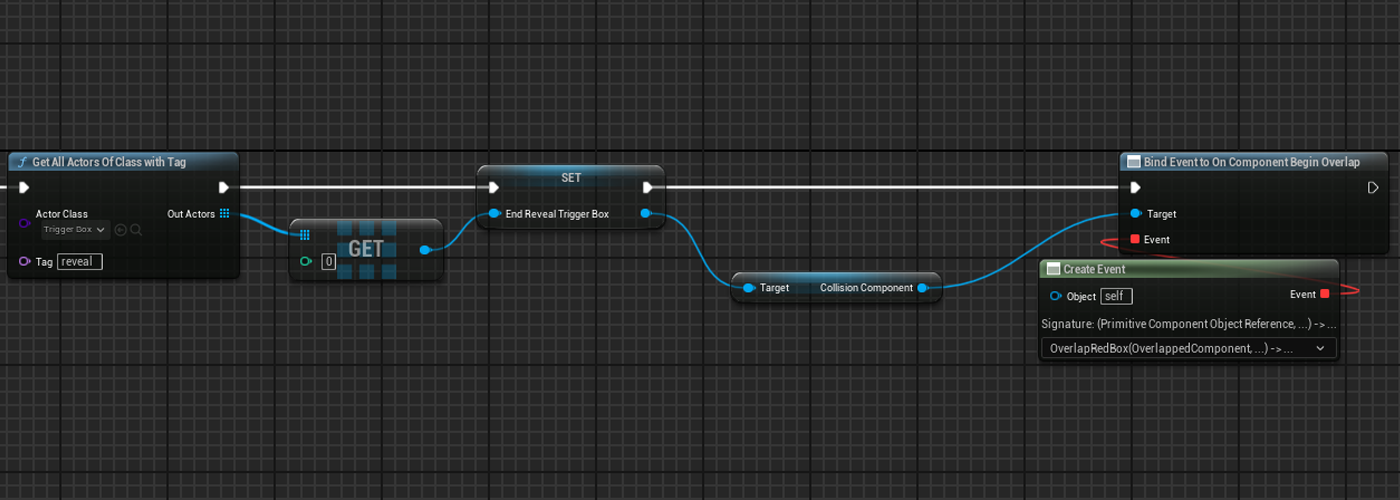
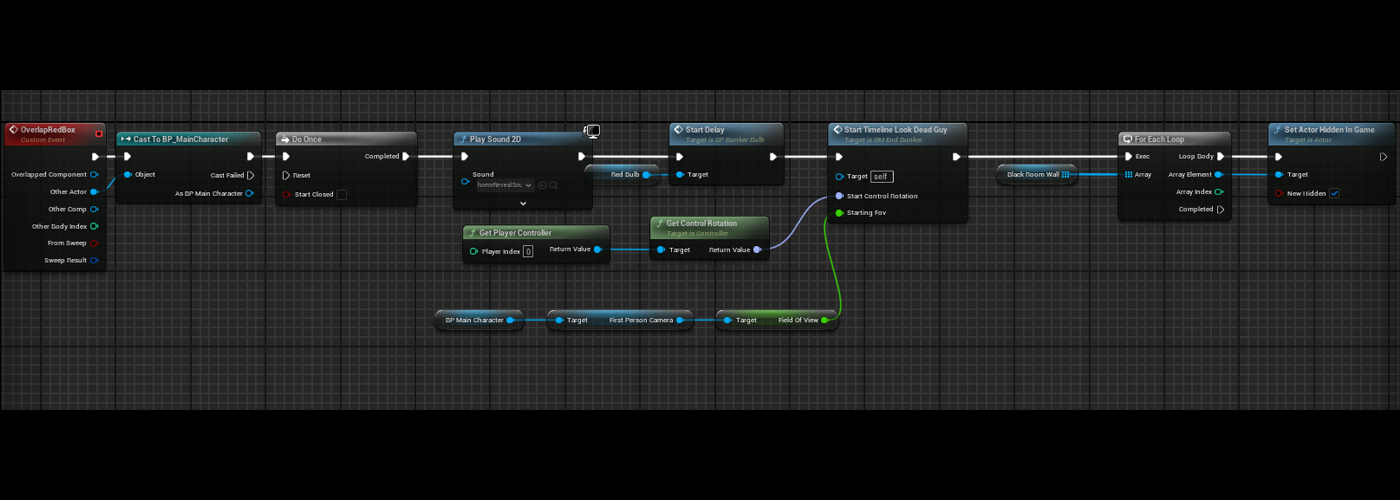
The scripted event in the last map (M_EndGameBunker), is managed by the gameMode.
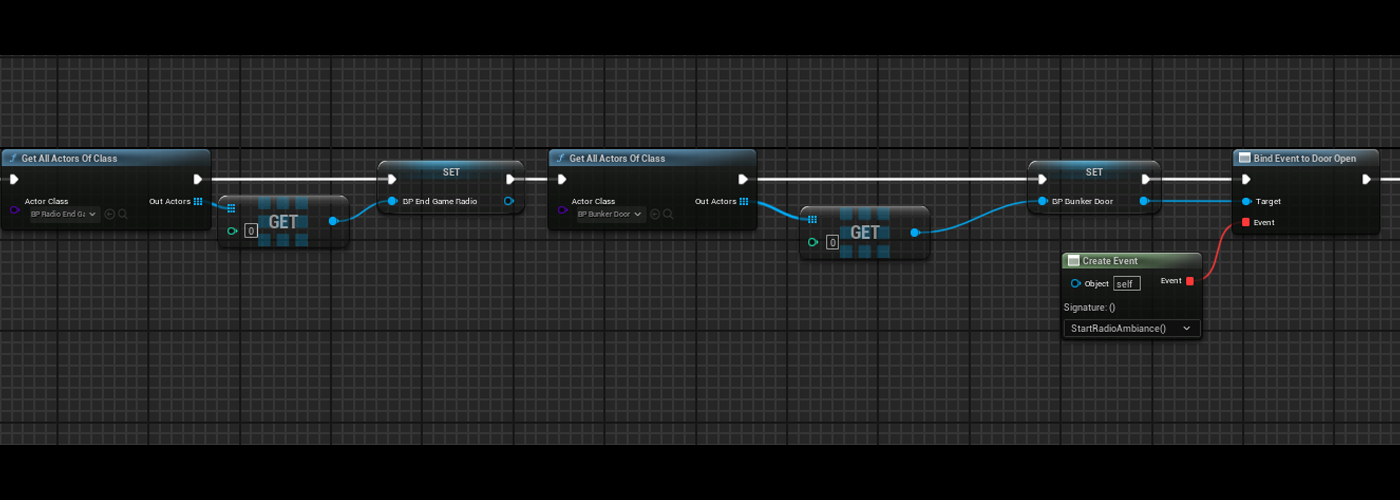
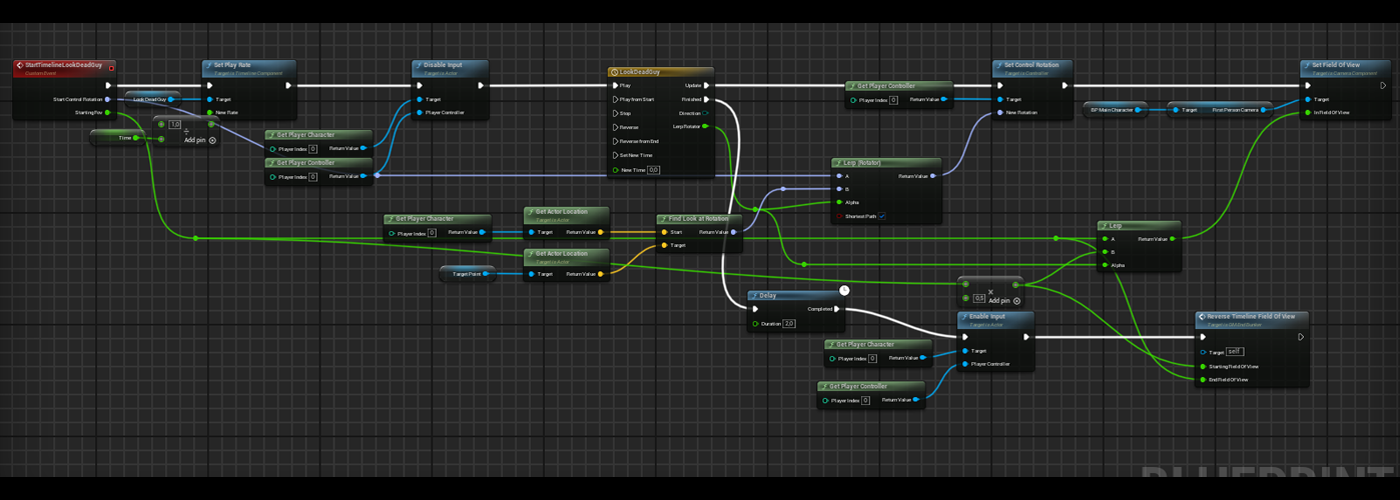
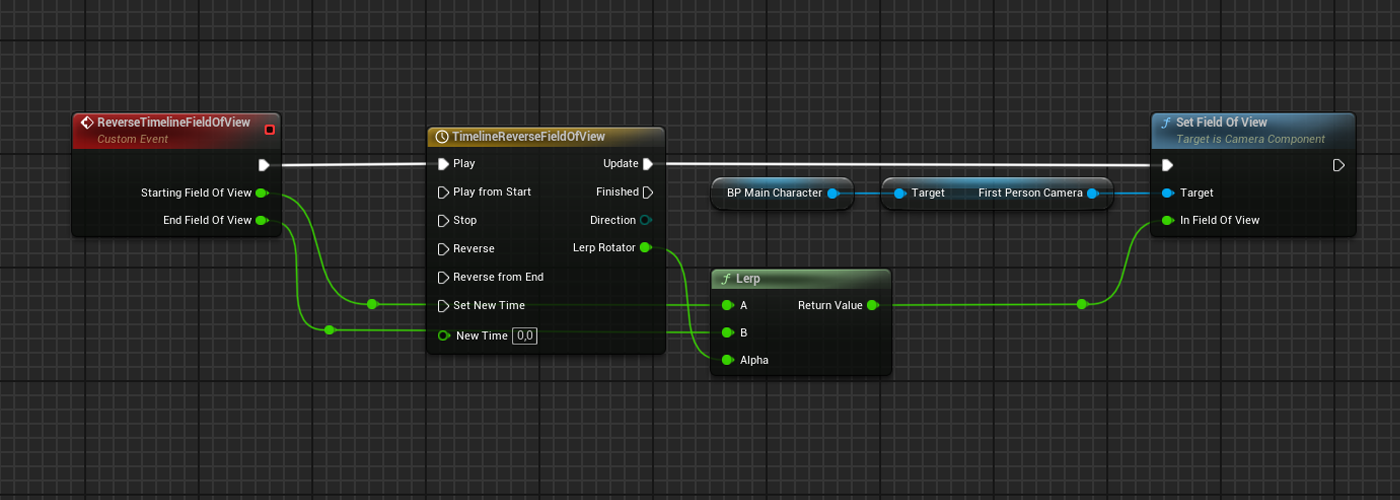
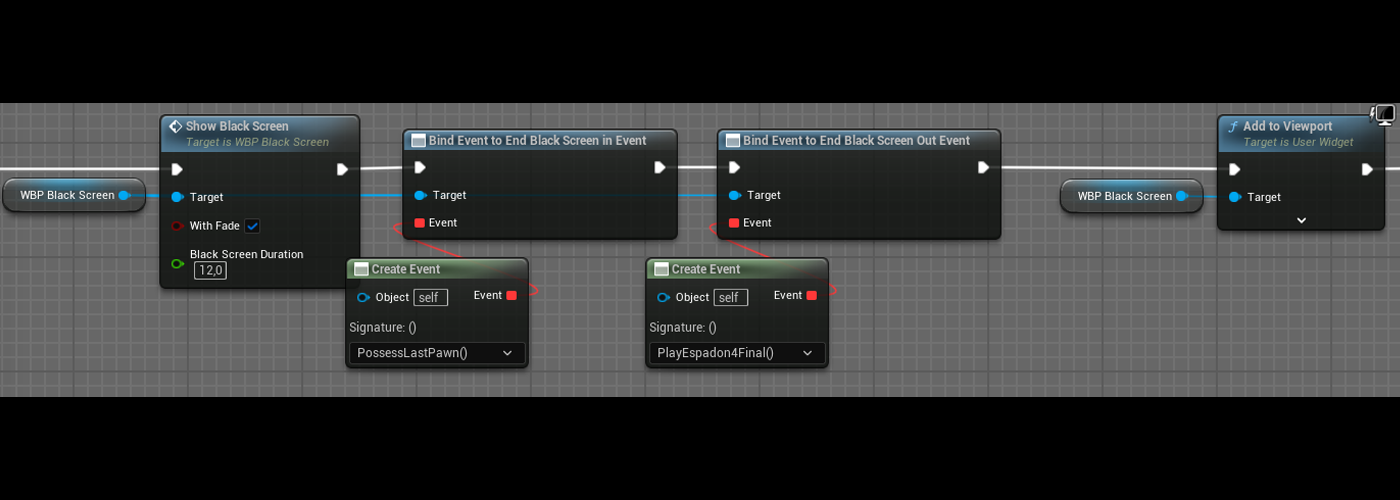
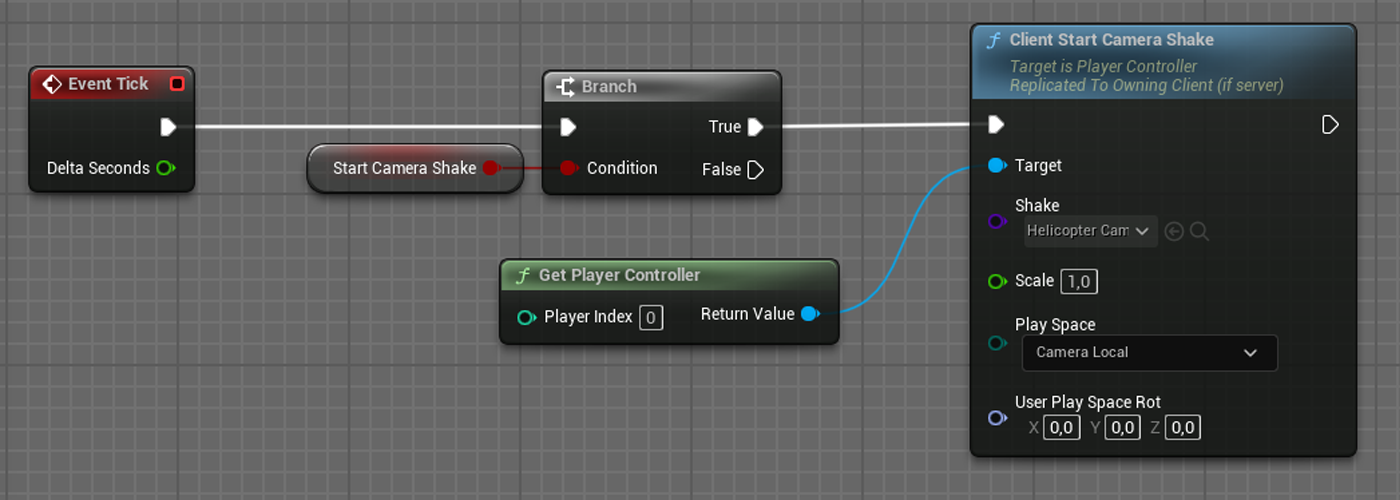
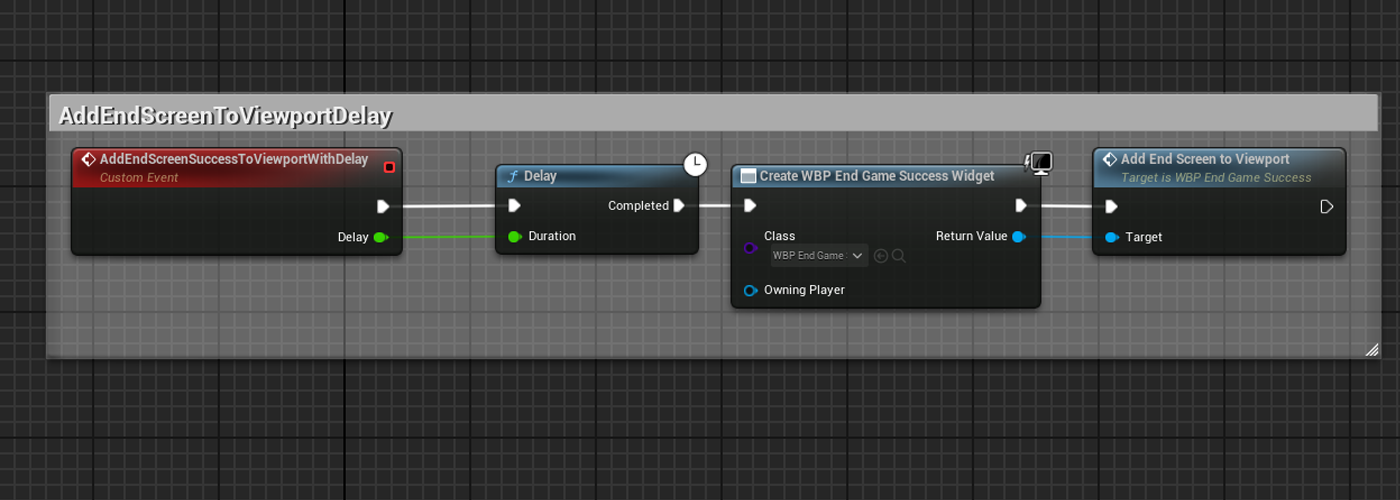
First every element implicated in the event is referenced, then when the player enters in a box that will trigger the scripted event, the system takes the control of the camera, makes a focus on the dead man and returns to the starting FOV. Then the player needs to interact with the paper that enables the radio interaction. When the player interacts with the radio, a fade is added to viewport to make the changes. A new pawn that moves on the map is possessed,a new camera shake is triggered, an audio sound is played and at a certain time the fade disappears and the end game widget is shown.
Précédent
Suivant
End Game Statistics
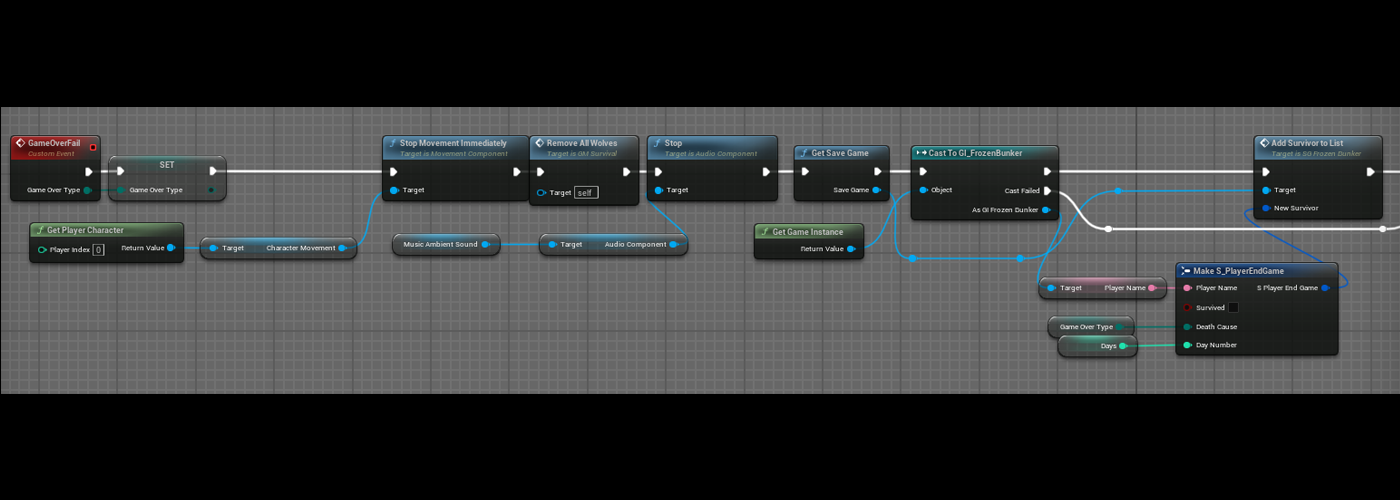
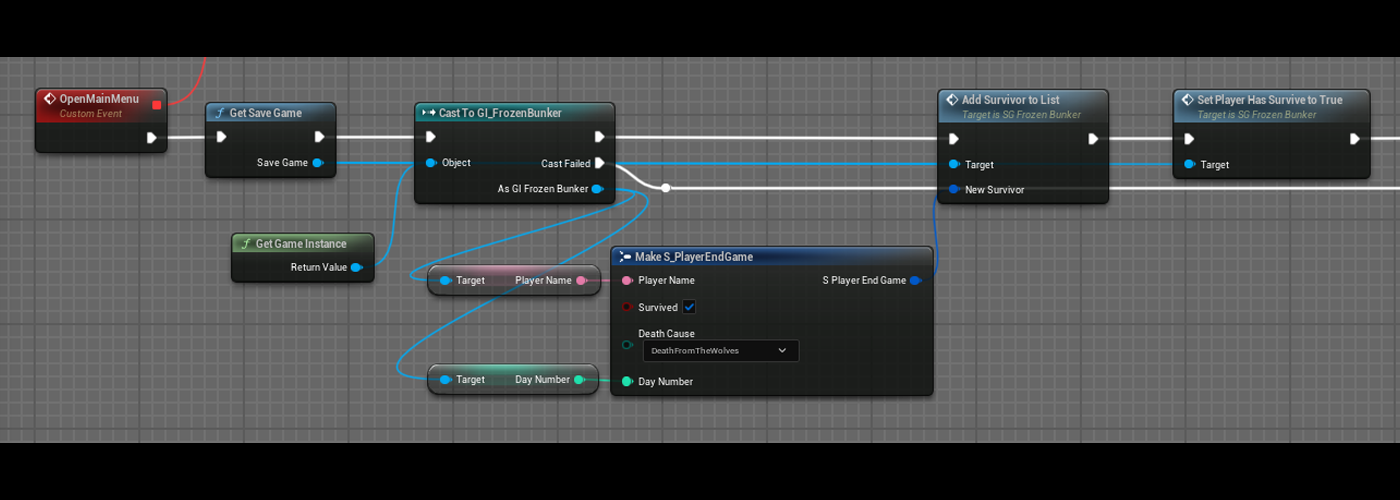
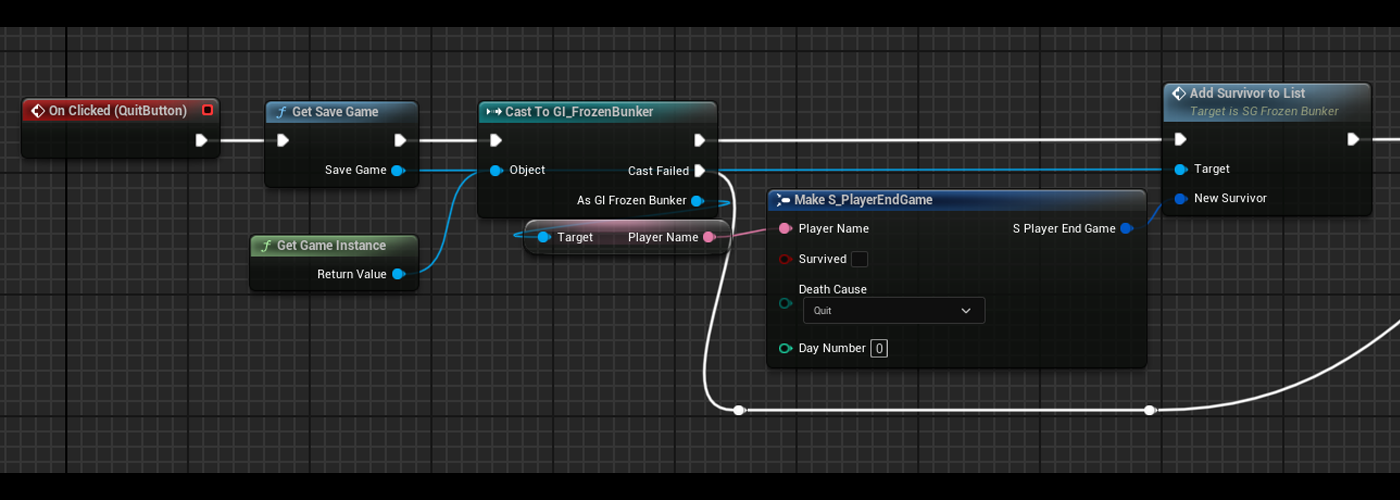
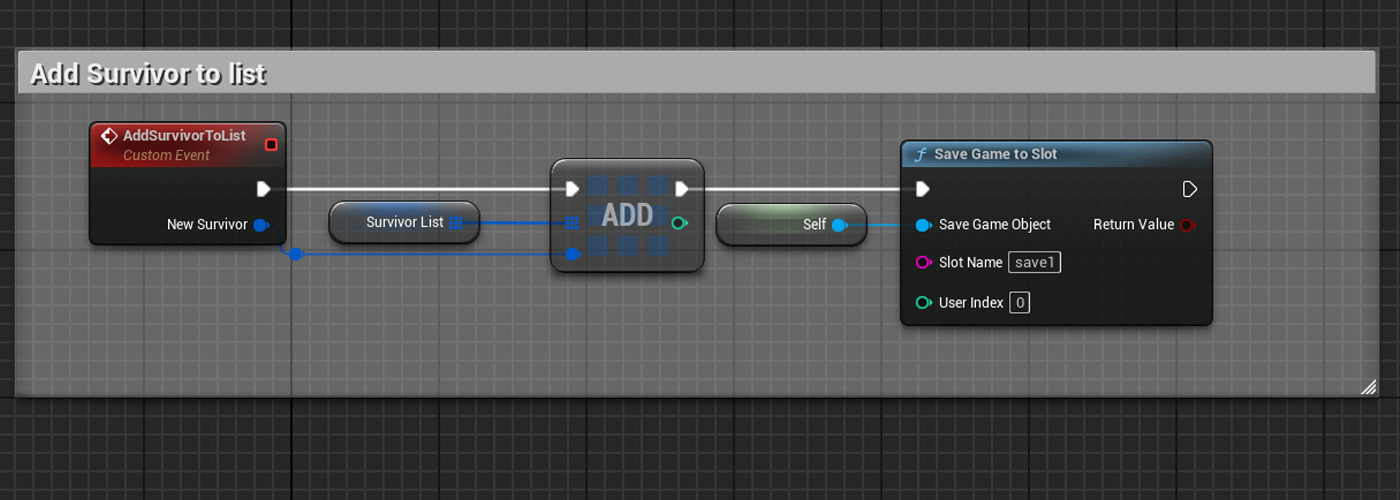
At the end of the game (failed or successul), informations are stacked in an array of structures (playerName,survive,deathCause, day) in the save game.
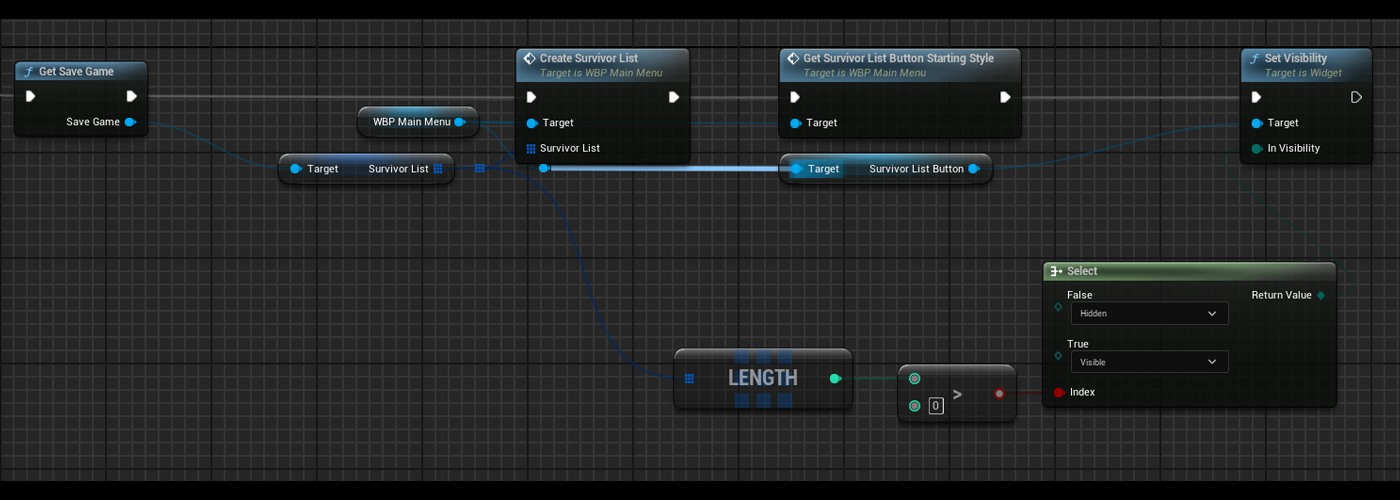
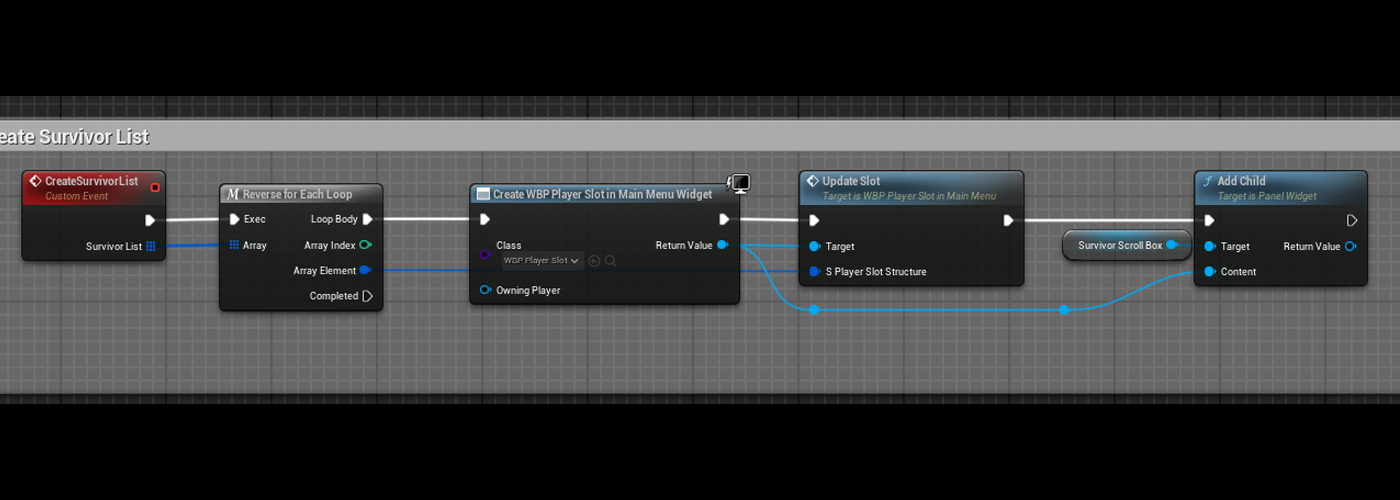
At the opening of the MainMenu the save game file is read and for each slot of this array, a widget is created with informations contained in the structure.
Précédent
Suivant
DocUMENTATION
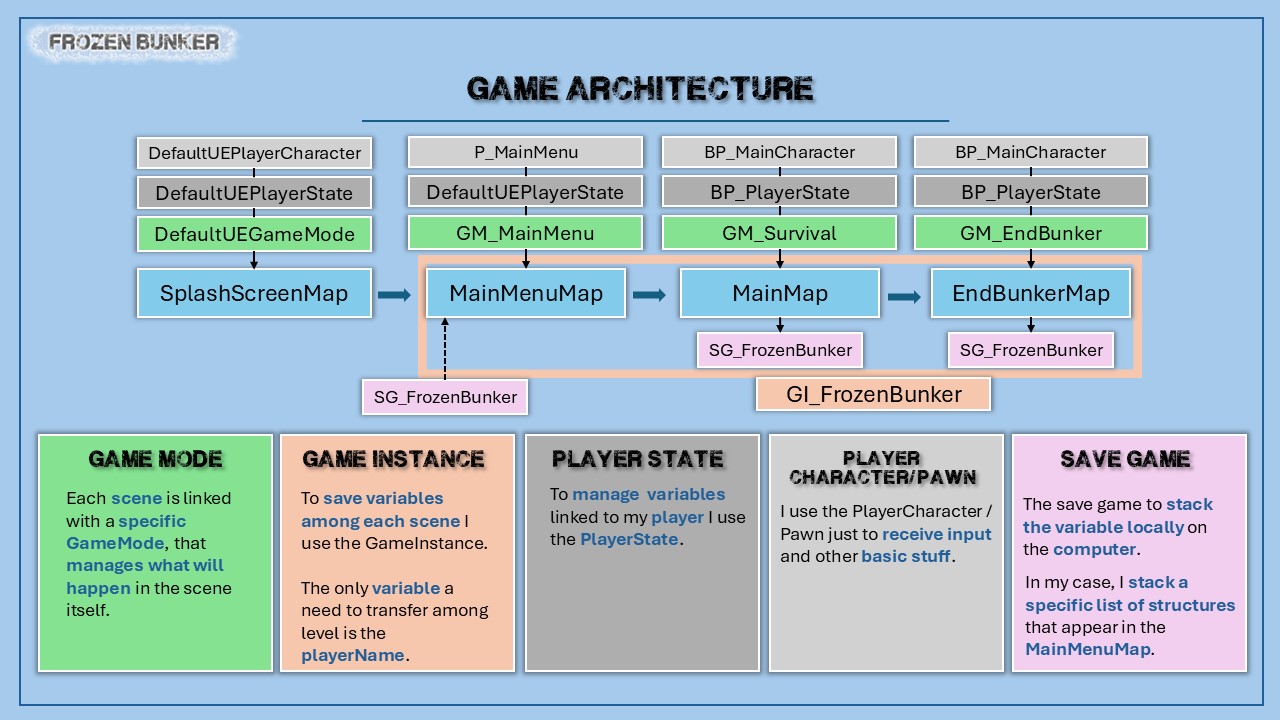
For this project I made a document to explain my development patterns and how my code works.